
See AiServa, screen by screen.
40 real screens from a working workspace. The AI Agent does the work; the console decides what it can reach and who can use it.
Everything the agent does, in one task screen.
Ask a question, get a cited answer, a finished file or a booked meeting, then act on the next step with one tap.
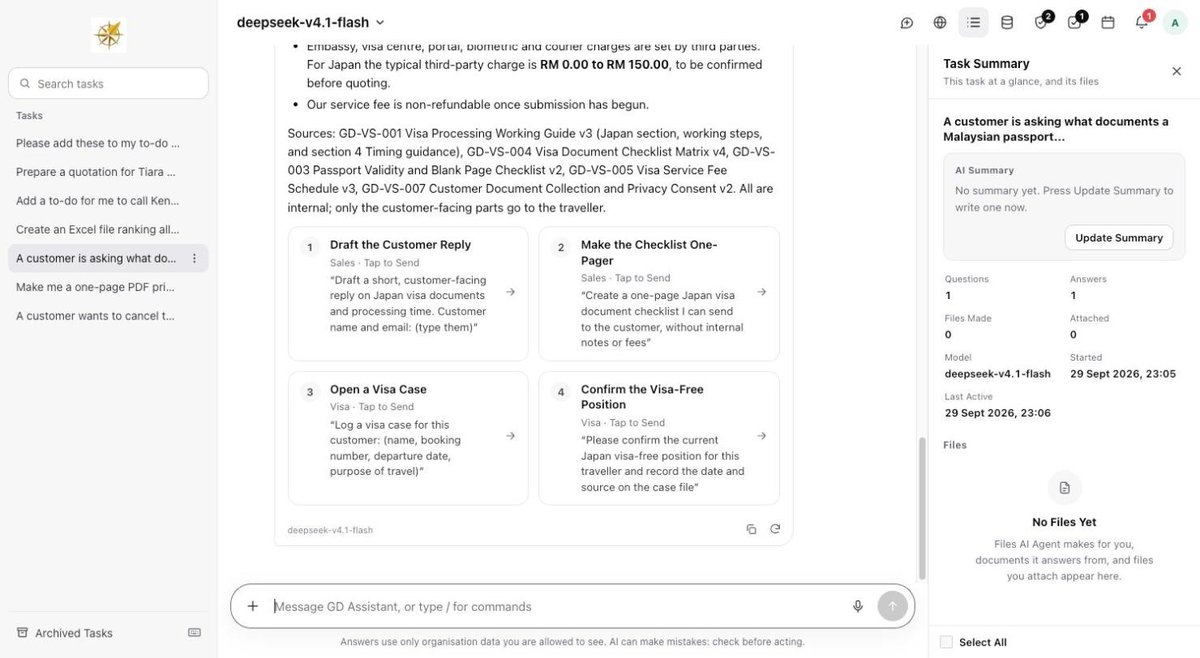
AI Agent With Task Summary
Ask in plain words. The answer names the documents it used, offers the next step as a tap, and a Task Summary sits beside it.
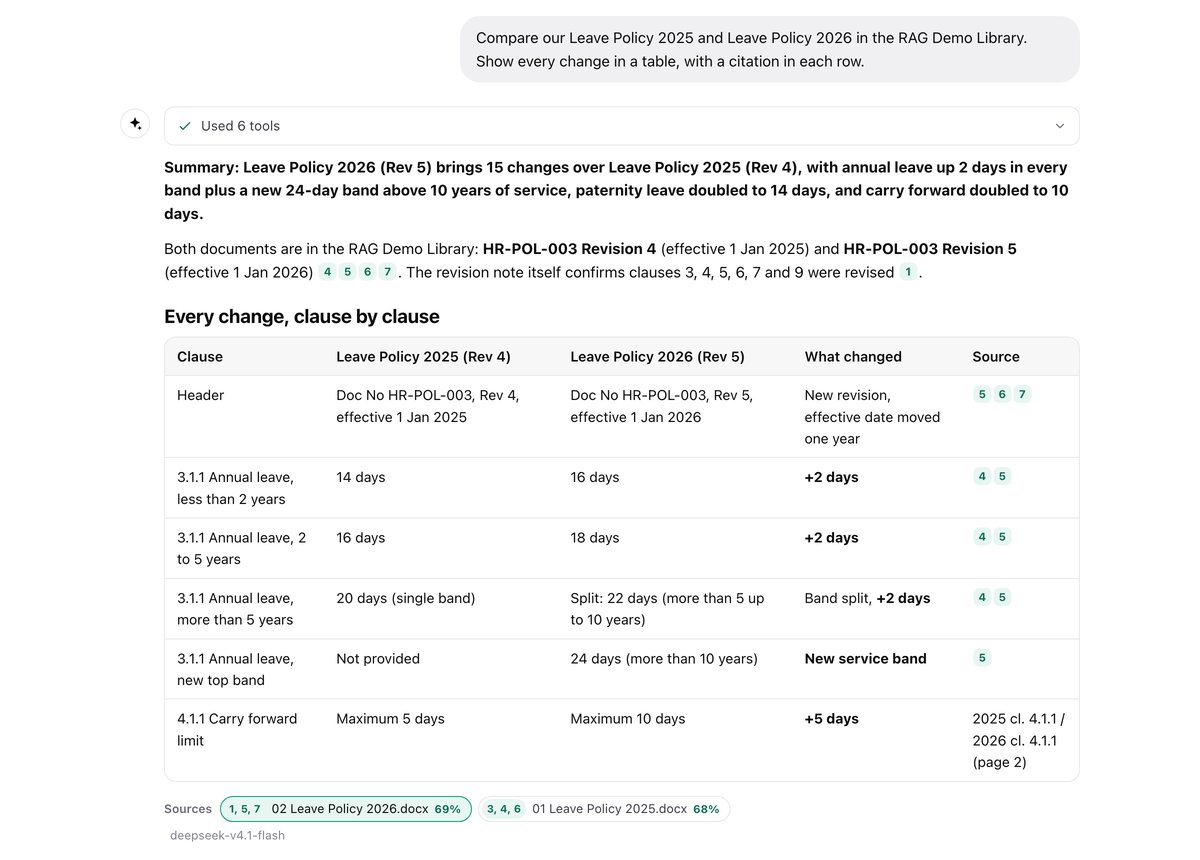
Sources You Can Open
Every answer from your documents cites them. Each source shows how closely it matched and opens the original.
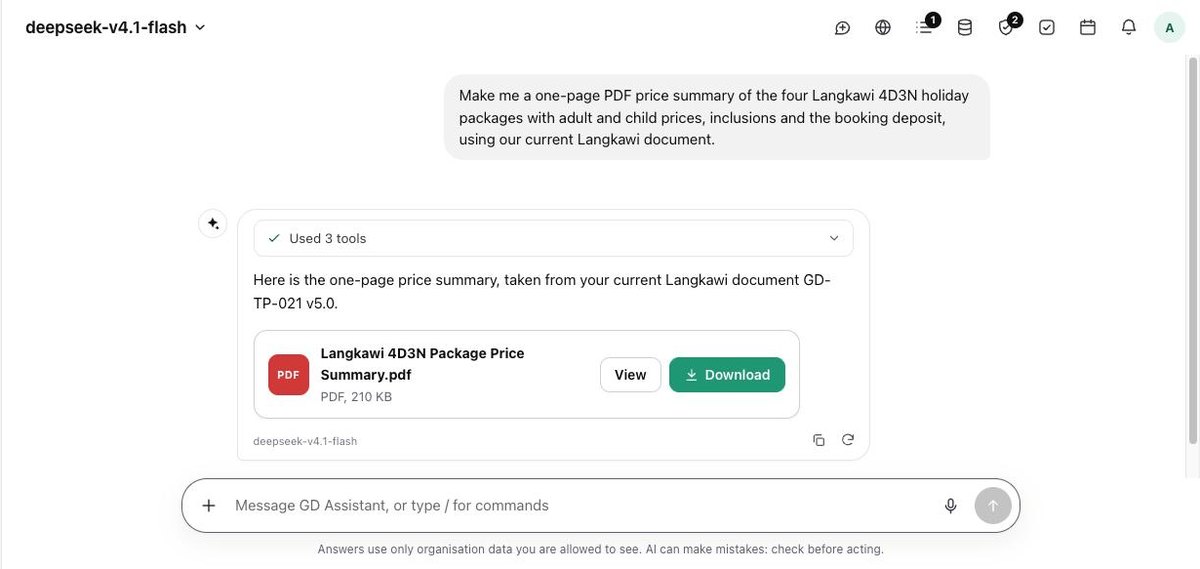
Files It Makes for You
Ask for a one-page price summary and get a finished PDF, built from your own current document.
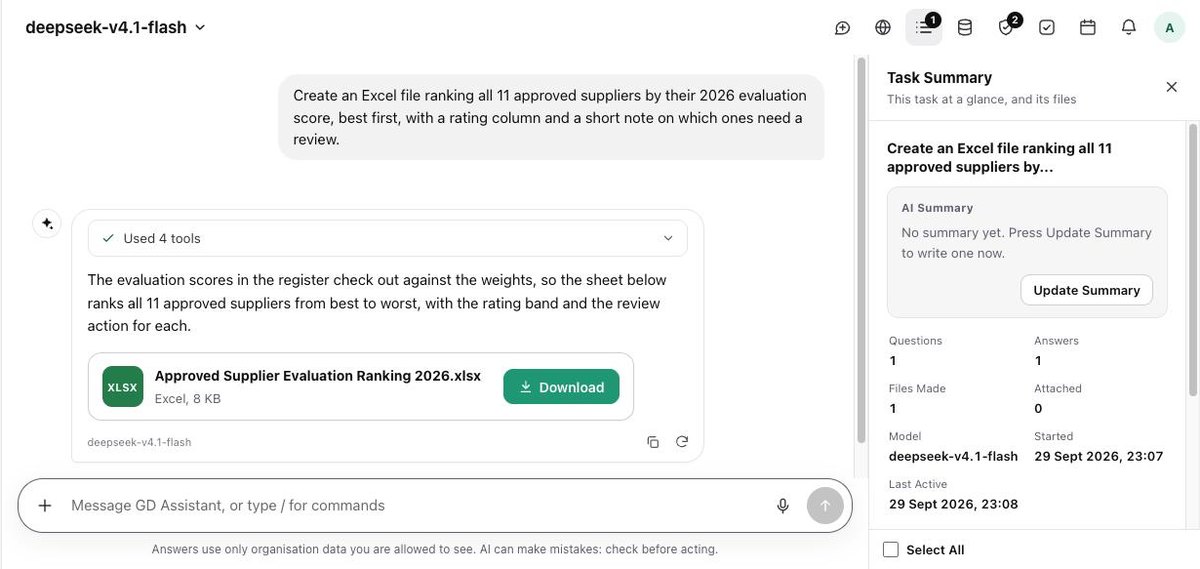
Spreadsheets in One Request
Rank suppliers, compare quotes or total a budget, then download the Excel file.
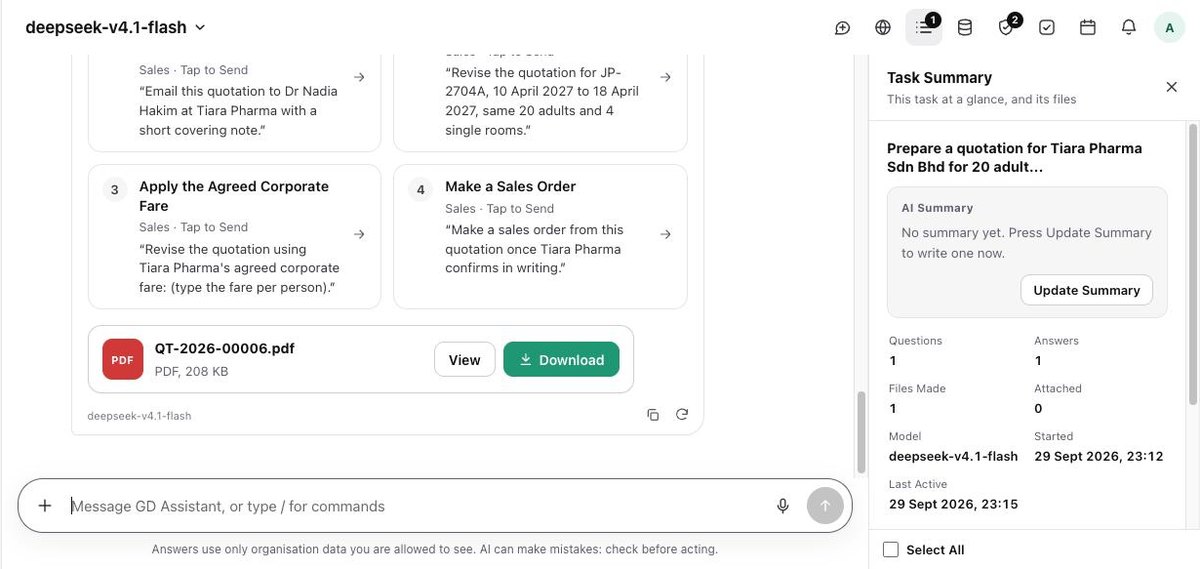
Quotations Ready to Send
A numbered quotation as a PDF, with cards to email it, revise it or turn it into a sales order.
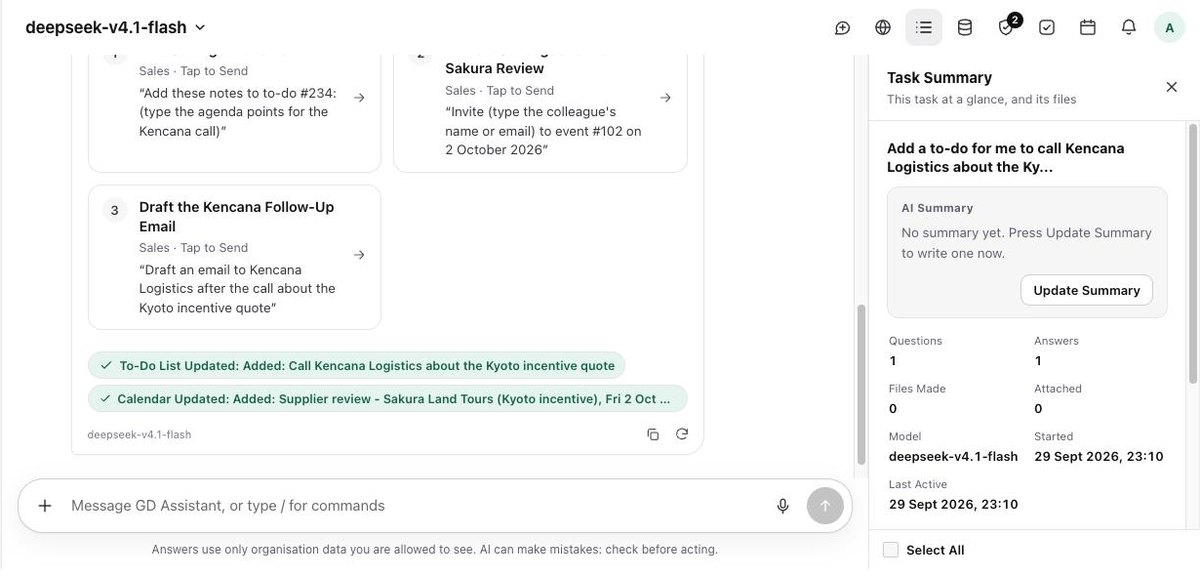
Tasks and Calendar by Asking
Say what to add. The to-do and the event appear, and the answer shows both as updated.
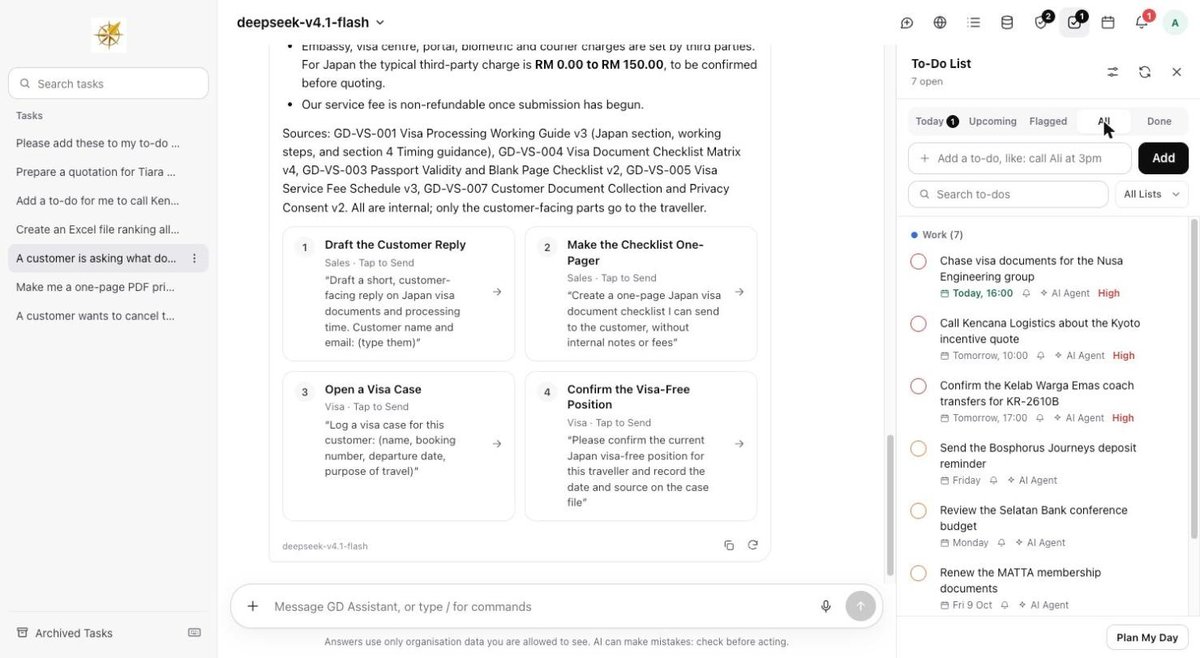
To-Do Lists
Lists with due dates, priorities and reminders, kept by you and by the agent.
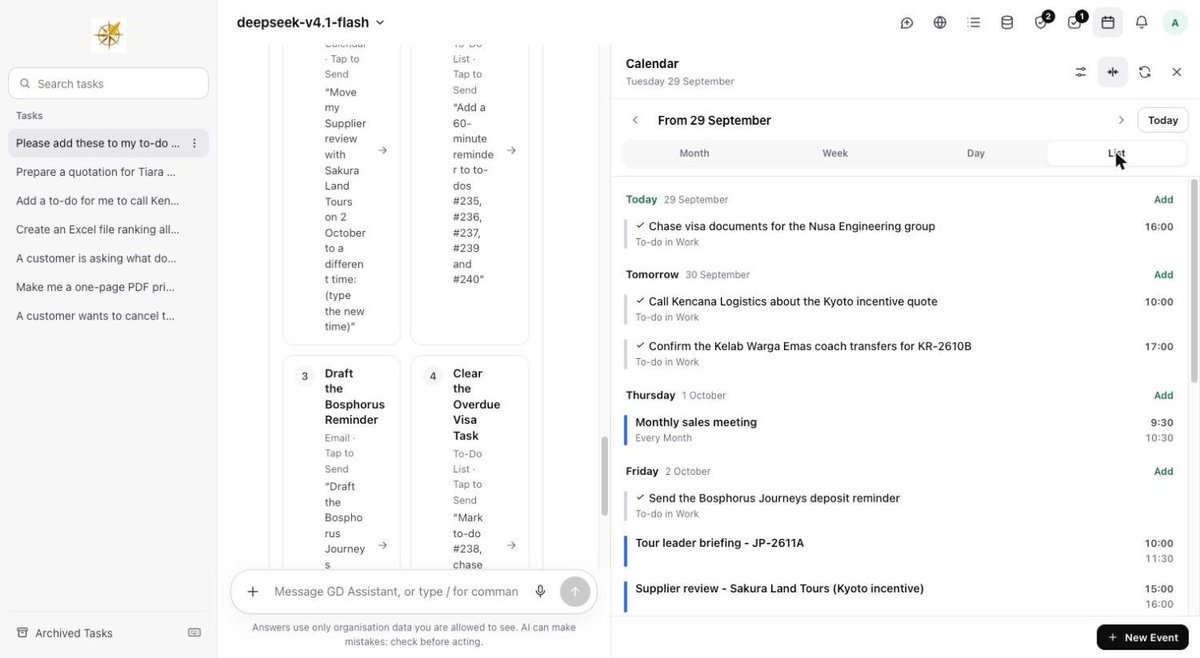
Calendar
Timed and repeating events beside the task, with a list, week and month view.
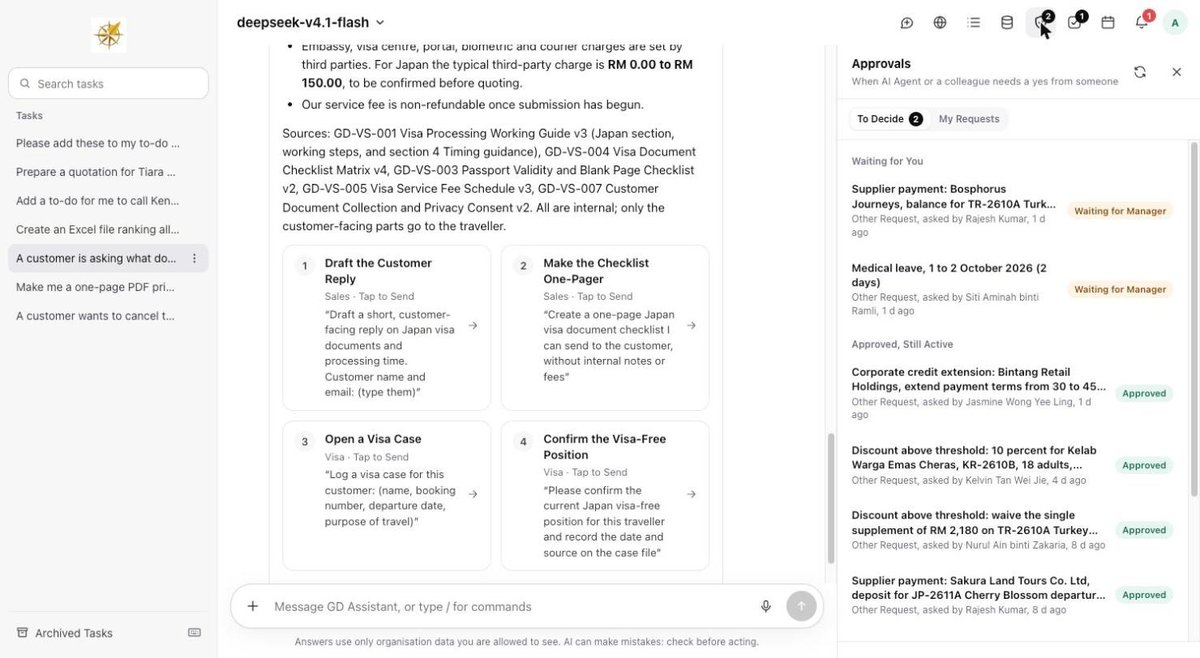
Approvals
Requests waiting for a decision, and what was approved, in one panel.
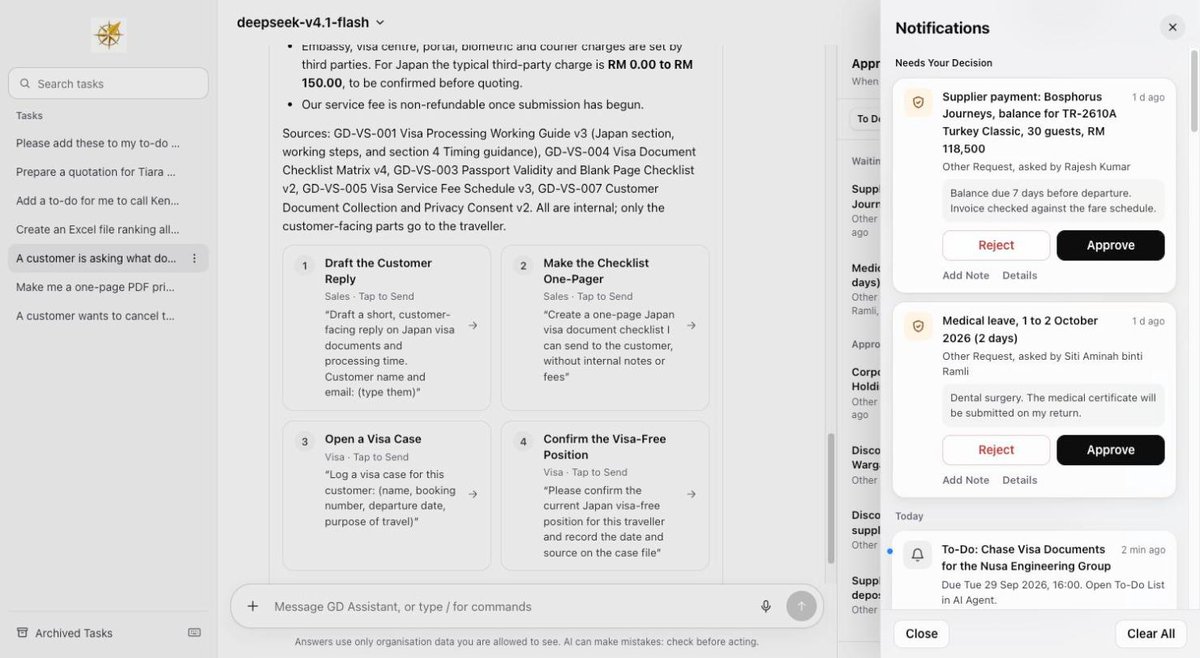
Notification Center
Decisions and reminders arrive in one place, with Approve and Reject on the card.
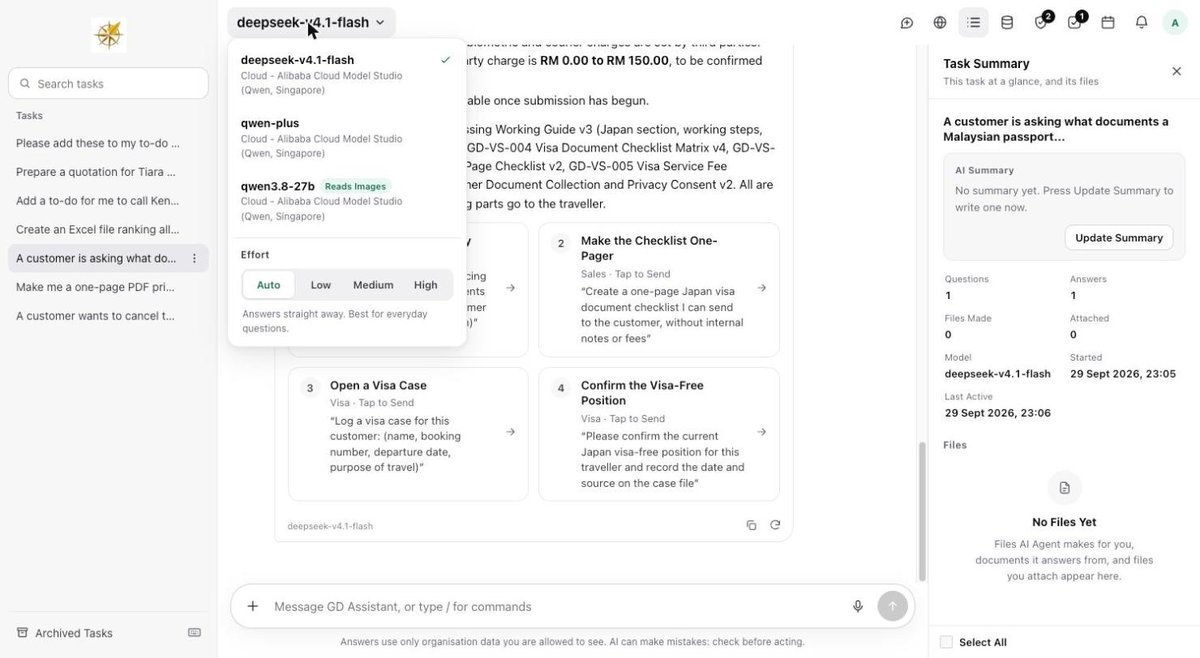
Model and Effort Picker
Choose which model answers, and how much effort it spends, for each task.
Your documents, searched and cited.
Bases for your teams, each with its own readers, health and search index.
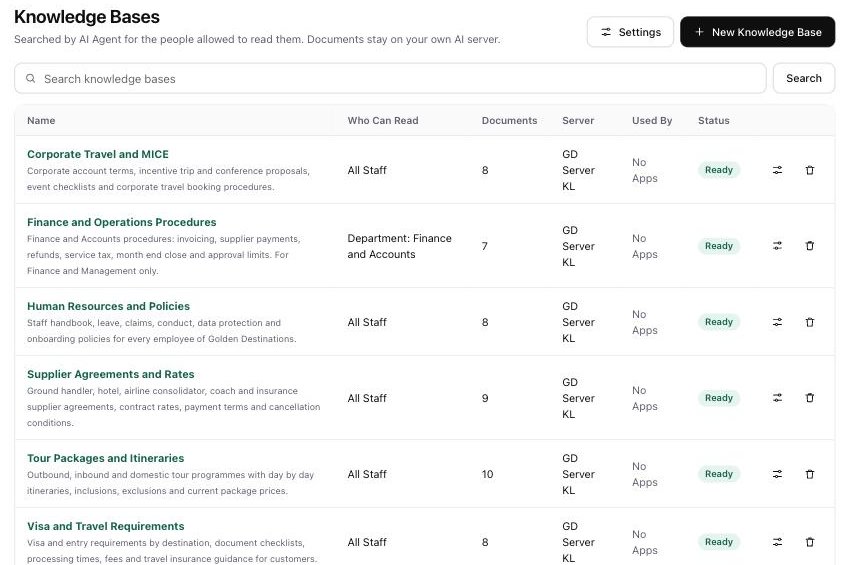
Knowledge Bases
Each knowledge base shows who can read it, how many documents it holds and which of your servers keeps it.
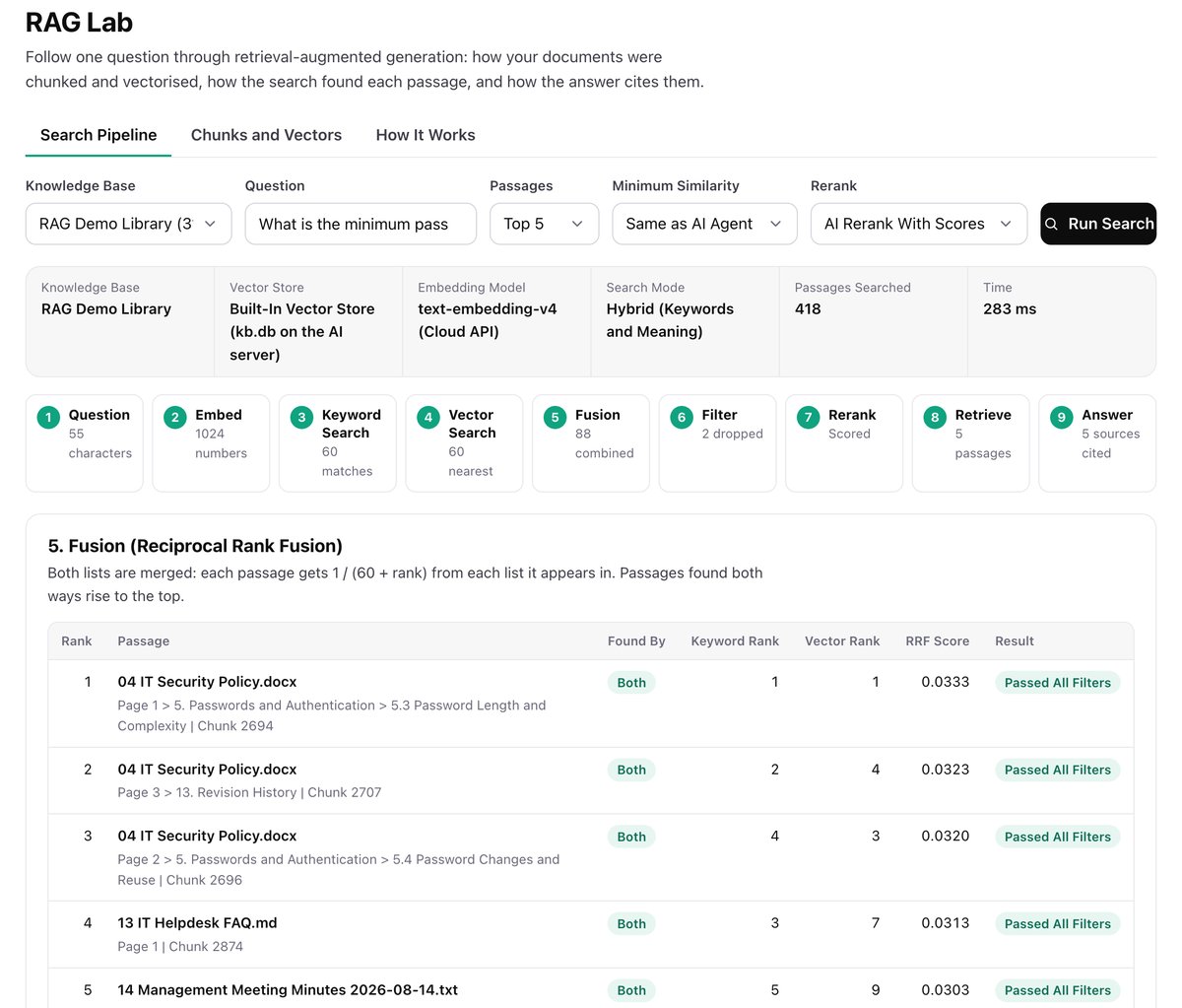
RAG Lab
Follow one question through every stage of retrieval: the question vector, keyword and vector search, fusion, the floor, rerank and the answer.
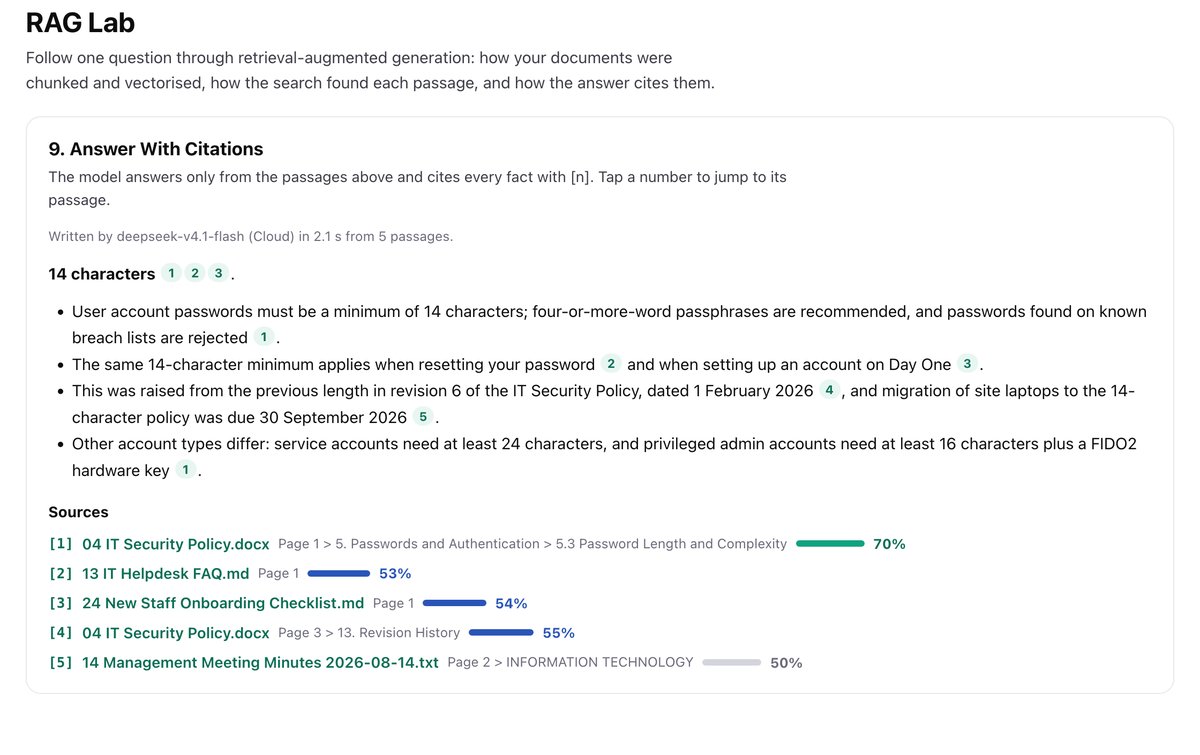
Answers That Cite Every Fact
The model answers only from the retrieved passages and links each fact to its source, with a match percentage for each.
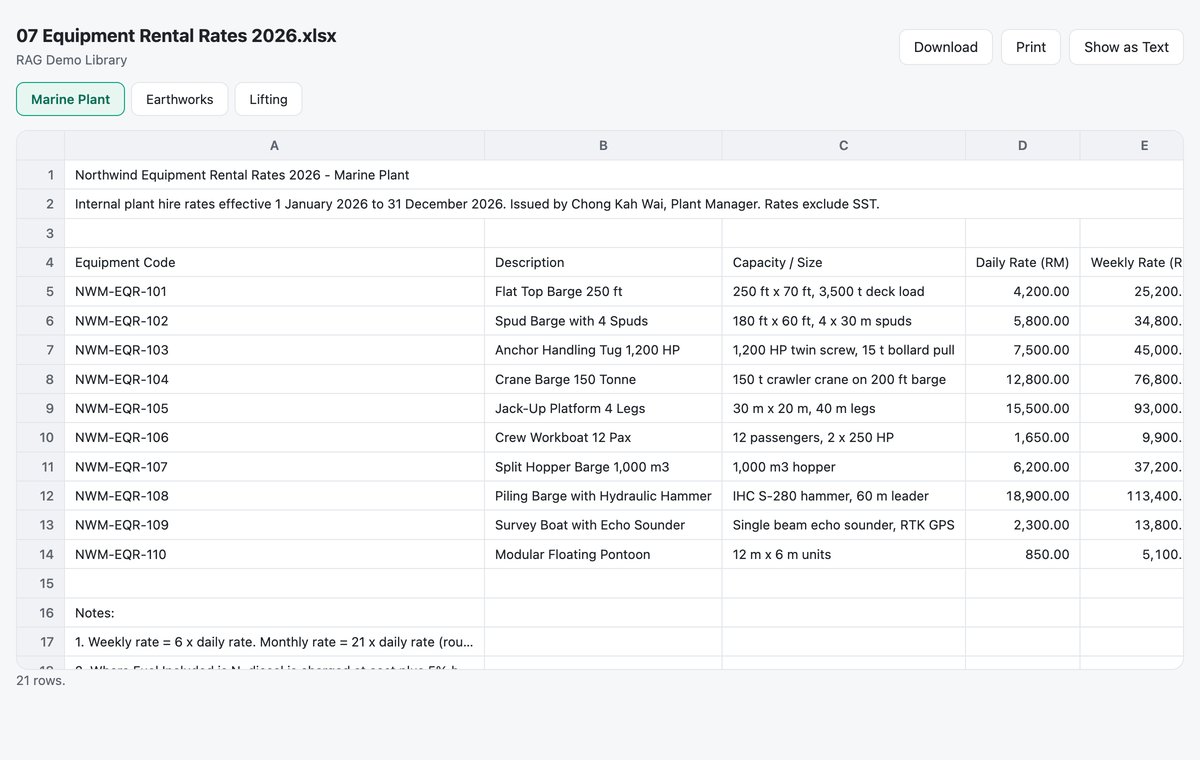
Originals in the Browser
Word and Excel files open with their layout, sheet tabs included, with Download, Print and Show as Text.
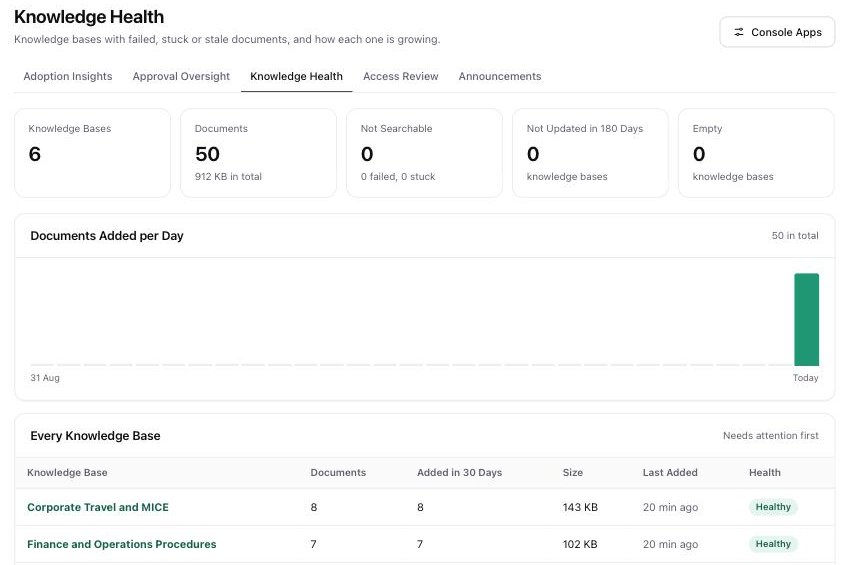
Knowledge Health
See documents that failed, got stuck or went stale, and how each knowledge base is growing.
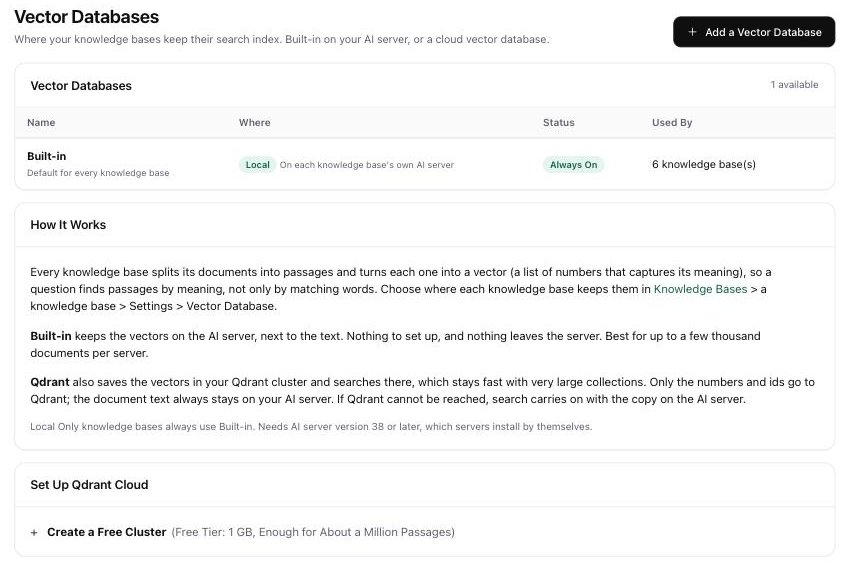
Vector Databases
Keep search indexes built in on your own server, or in a cloud vector database such as Qdrant.
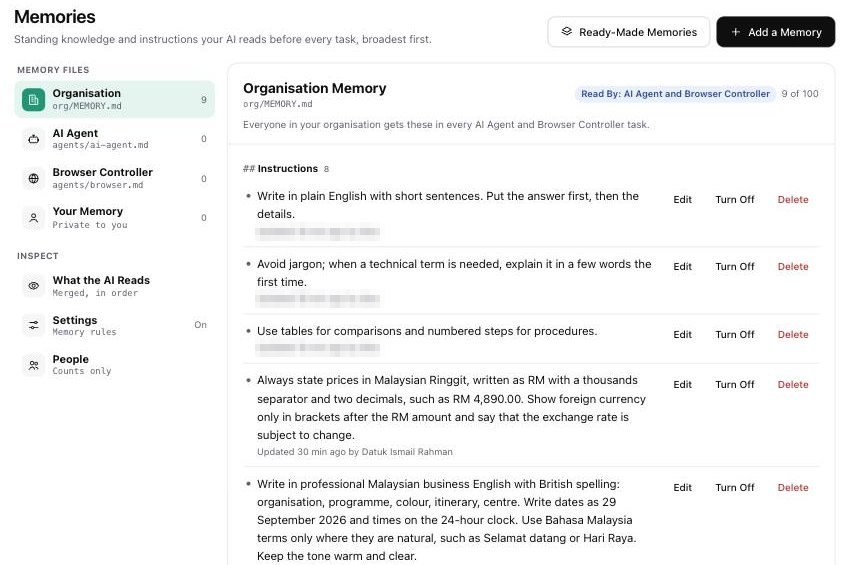
Memories
Standing instructions your AI reads before every task, for the organisation, per agent and per person.
Skills, commands, plugins and MCP servers.
Add what your team needs, from house style to outside services.
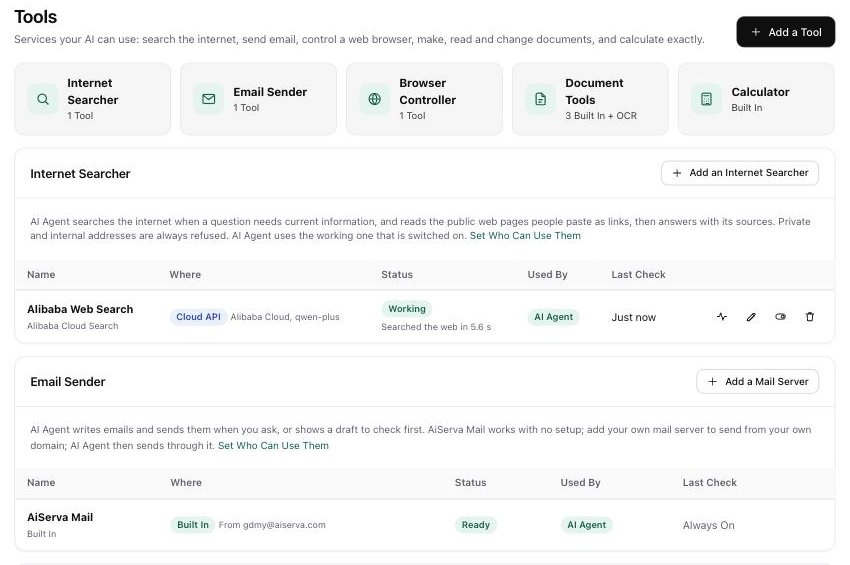
Tools
Turn on internet search, email, browser control and document tools, and decide who may use each one.
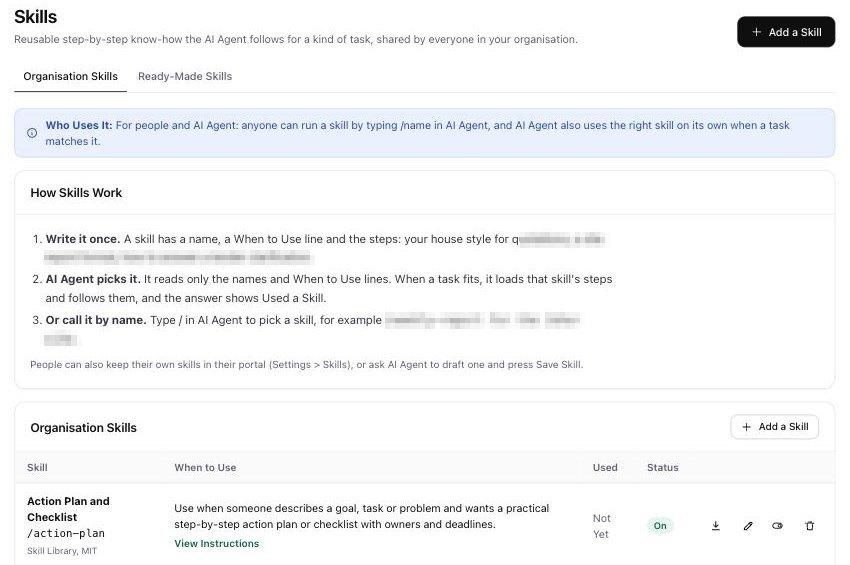
Skills
Write your house style once as a skill. The agent picks it when a task fits, or you call it by name.
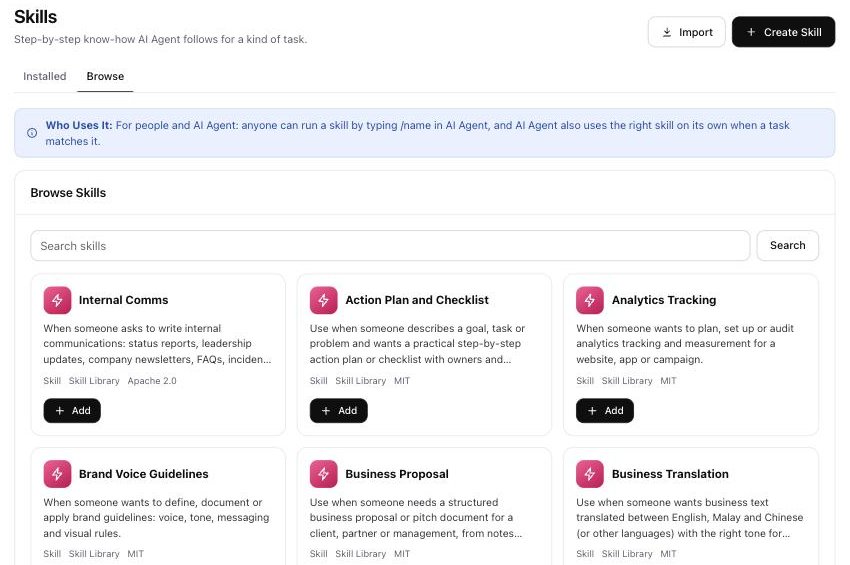
Skill Library
Add reviewed, openly licensed skills in one click, such as action plans, proposals and brand voice.
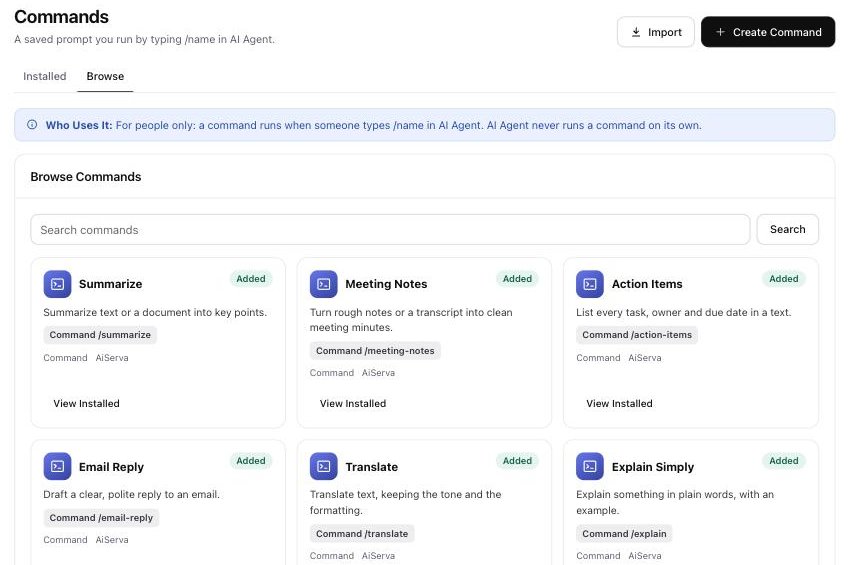
Commands
Saved prompts you run by typing a slash and a name, from summaries to meeting notes.
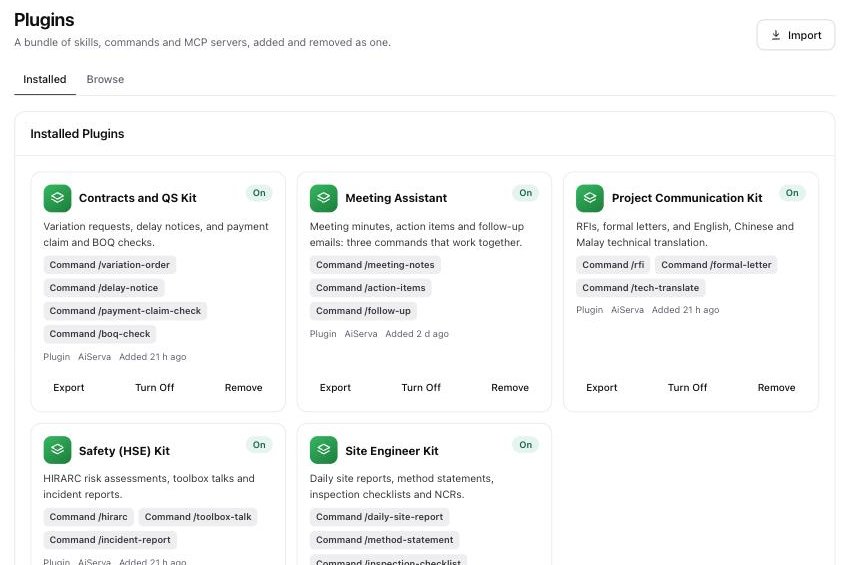
Plugins
A bundle of skills, commands and MCP servers, added or removed as one.
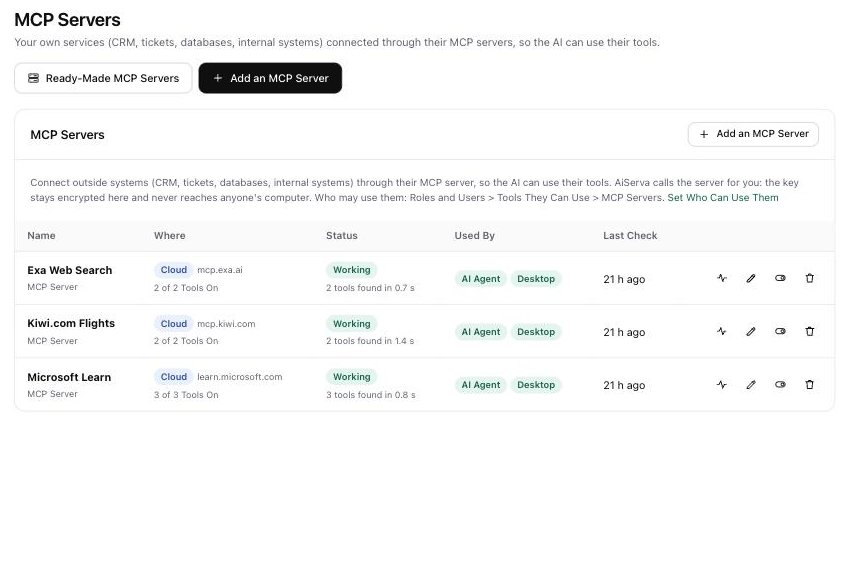
MCP Servers
Link outside services through MCP so the agent can use their tools. Every MCP server shows its health.
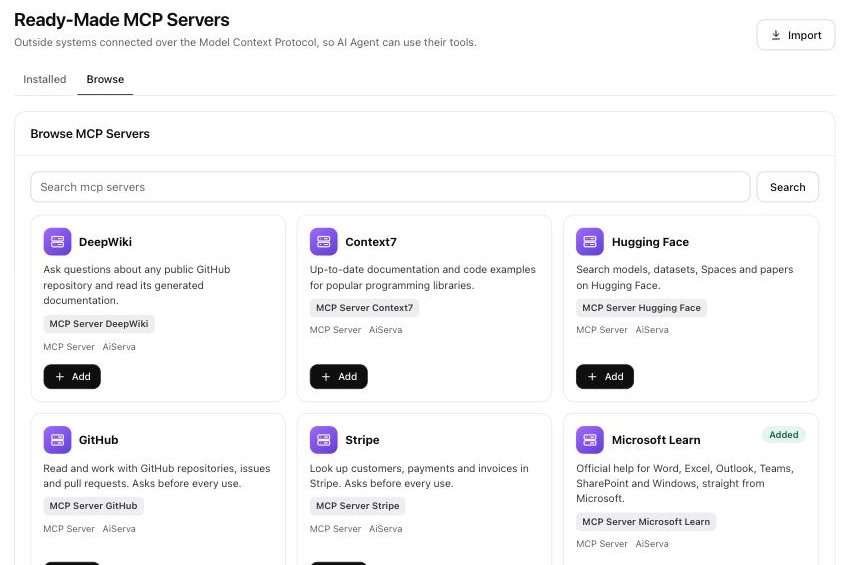
Ready-Made MCP Servers
Add a ready-made MCP server in one click, such as DeepWiki, Context7, Hugging Face, GitHub, Stripe or Microsoft Learn.
Your servers, your models, your cost.
Pick where the AI runs and see what it uses.
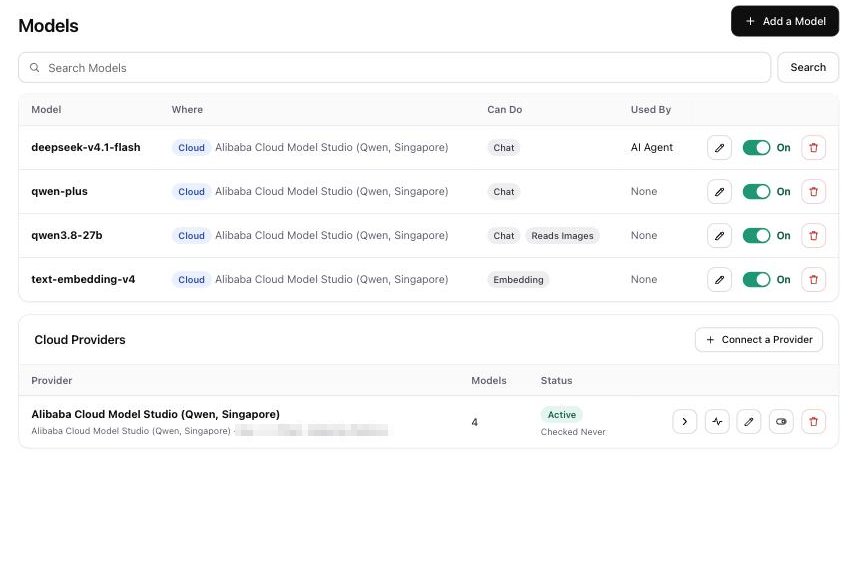
Models
Every model you connect, where it runs, what it can do and which app uses it, each with its own On switch.
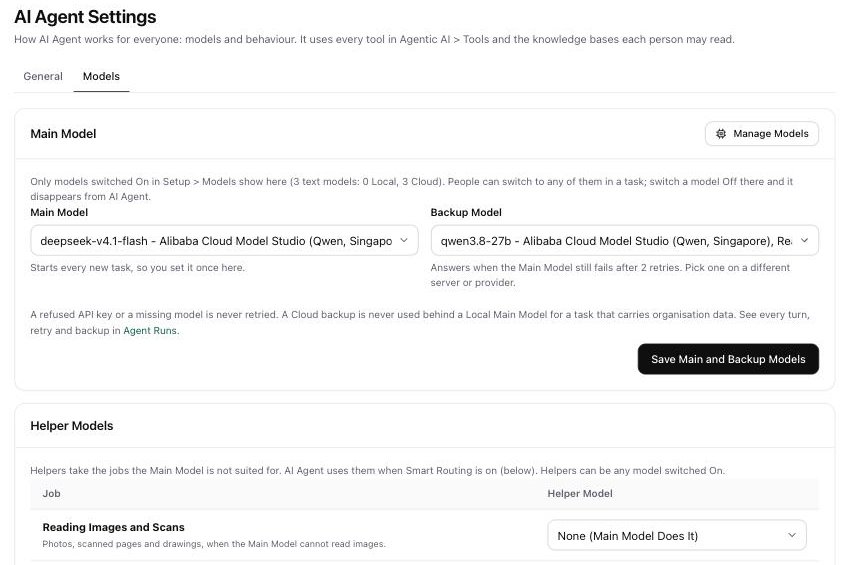
Main, Backup and Helper Models
Pick the model every task starts on and a backup that answers if it fails.
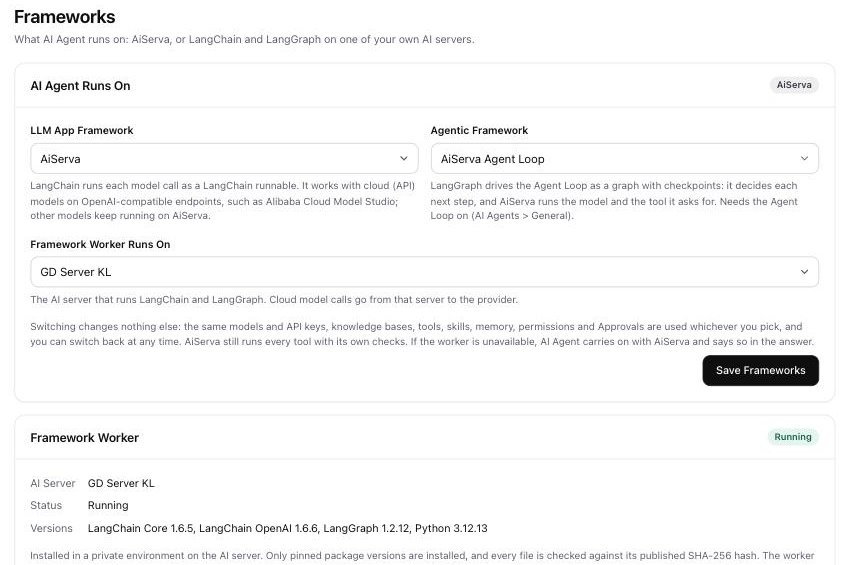
Frameworks
Run the agent on AiServa, or on LangChain and LangGraph in a worker on your own server.
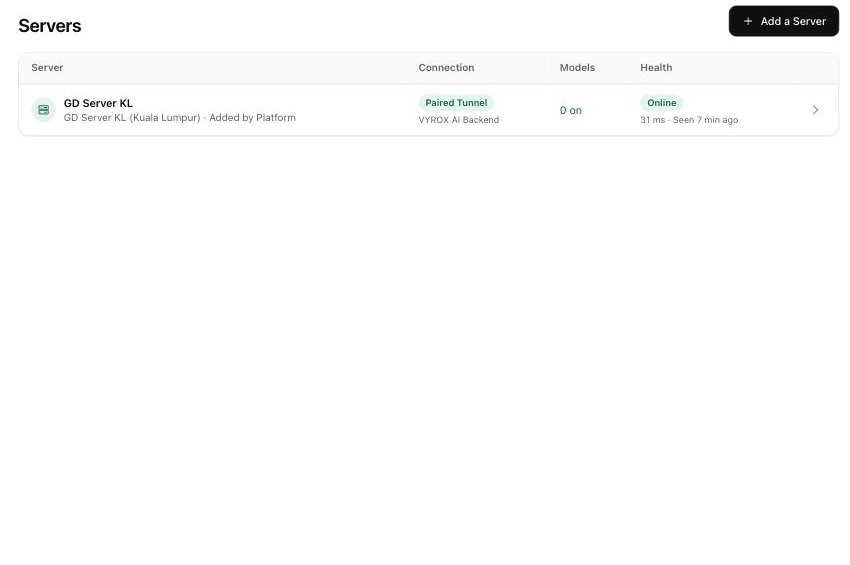
Servers
See every AI server, how it is connected and whether it is online, and pair another.
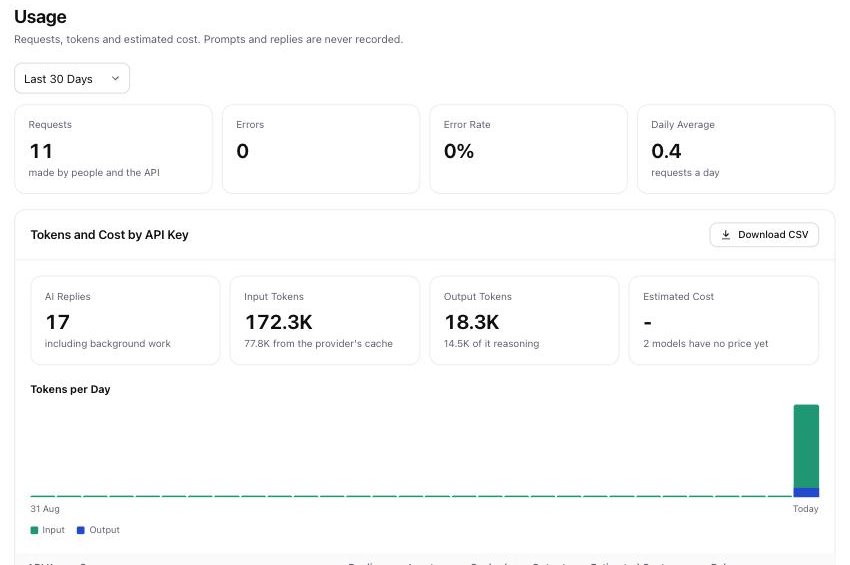
Tokens and Cost
Requests, input and output tokens and estimated cost, by API key.
Roles, sign-in rules and a clear record.
Decide who can do what, and see what happened.
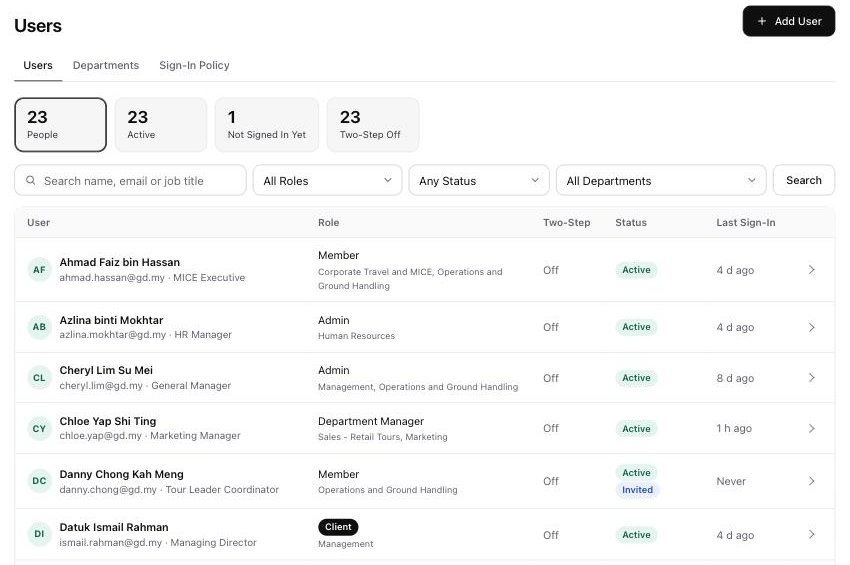
Users and Departments
Everyone in your organisation with role, department, two-step status and last sign-in.
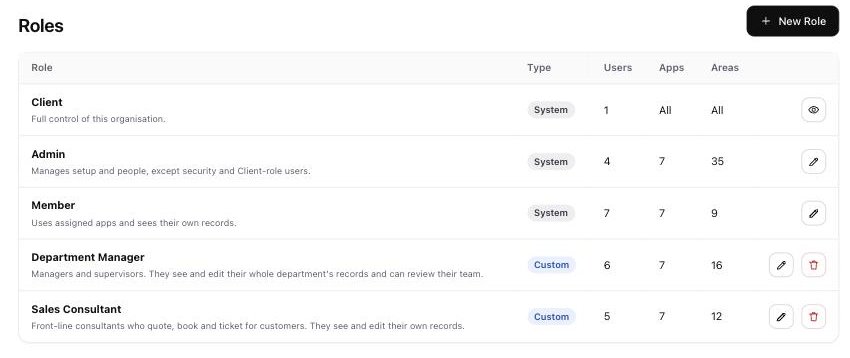
Roles
Built-in and custom roles decide which apps and areas each person can open.
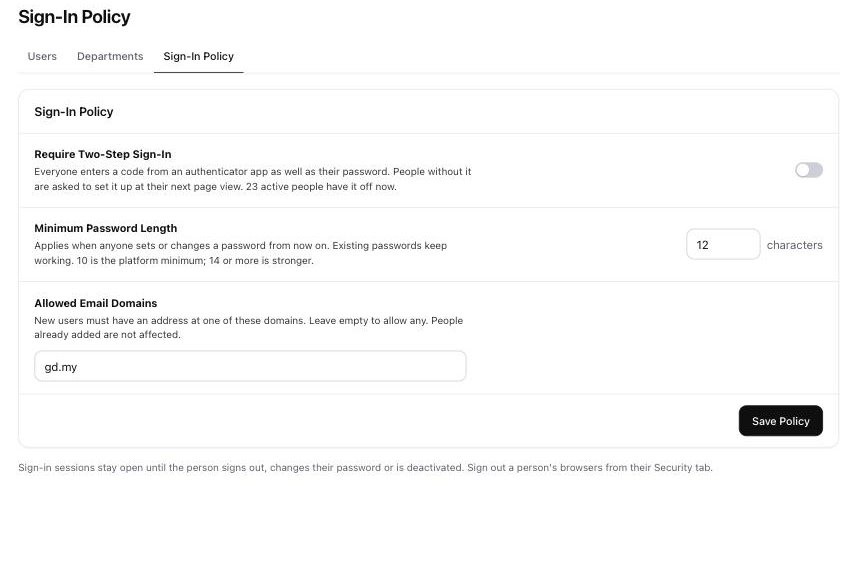
Sign-In Policy
Require two-step sign-in, set a minimum password length and limit which email domains may join.
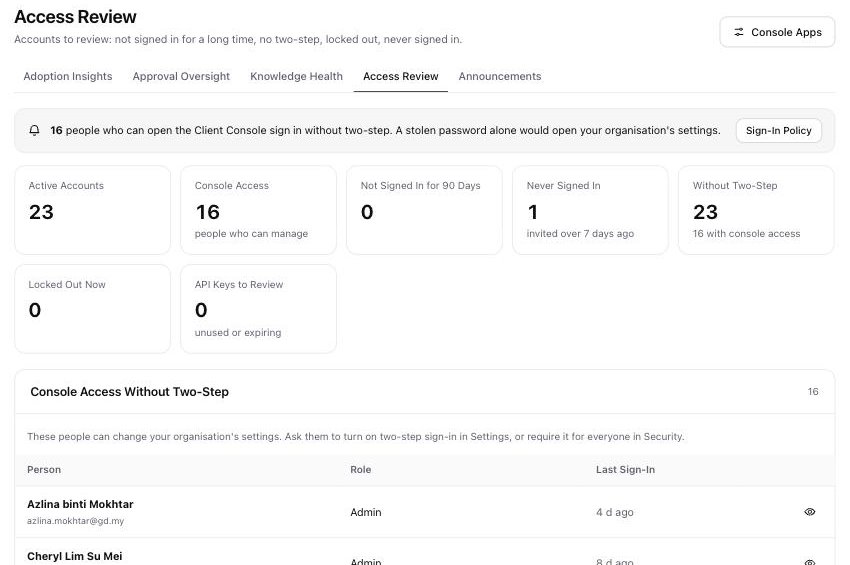
Access Review
Spot accounts without two-step, people who never signed in and keys that need attention.
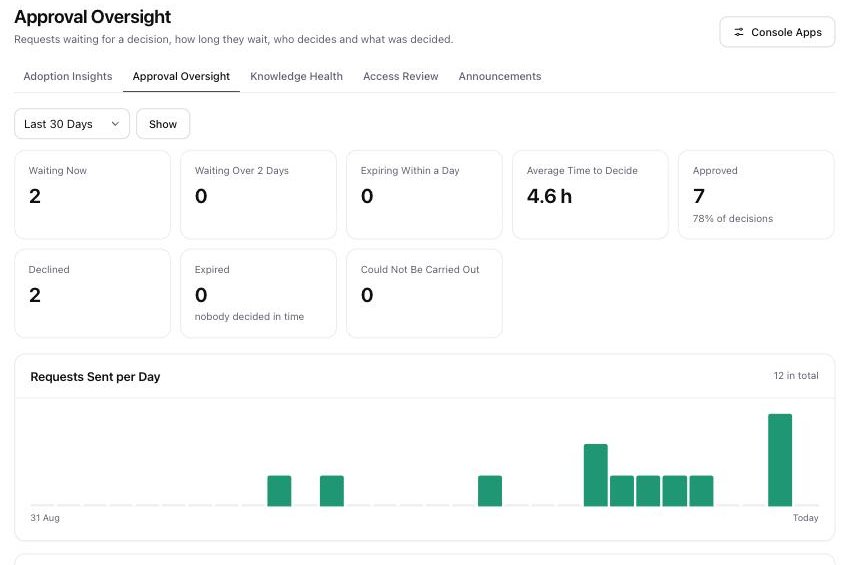
Approval Oversight
How long requests wait, who decides and what was decided.
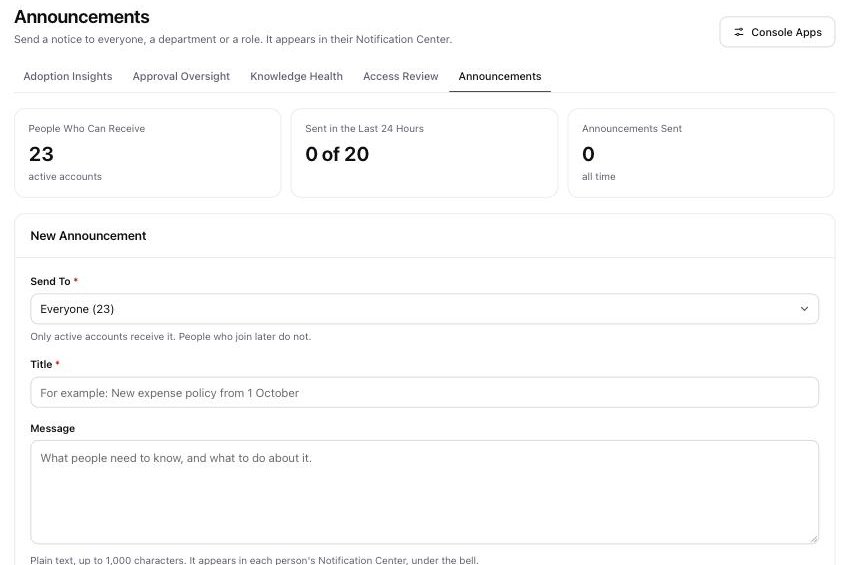
Announcements
Send a notice to everyone, a department or a role. It lands in their Notification Center.
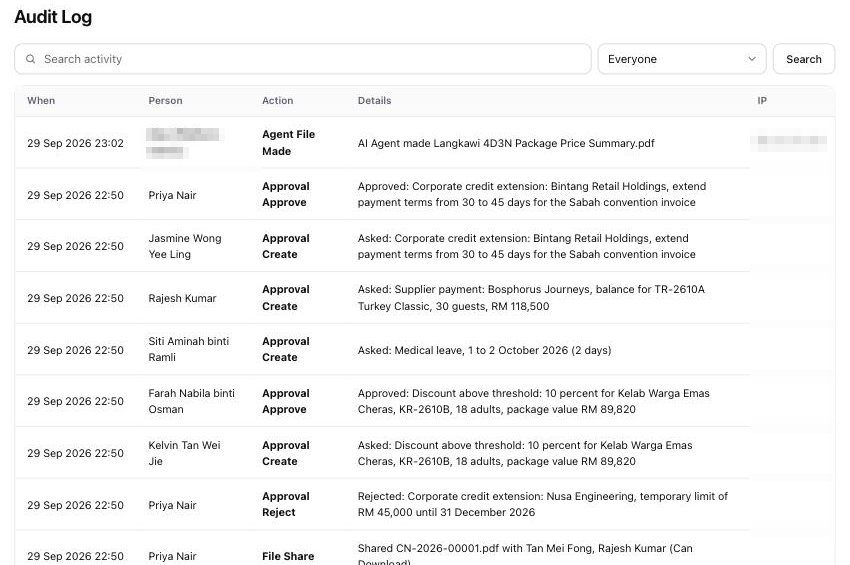
Audit Log
Approvals, shared files and files made by the agent, with who, what and when.
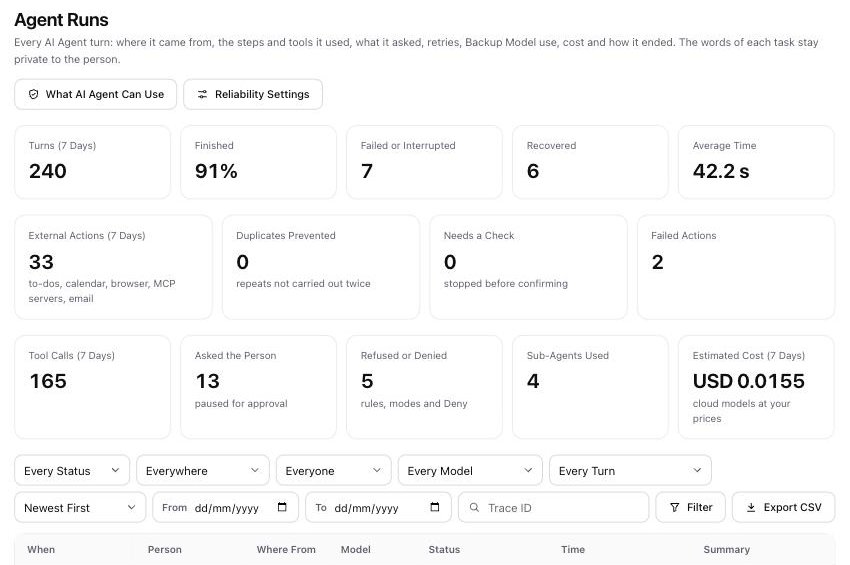
Agent Runs
Each agent turn with where it came from, its tool calls, questions, refusals, retries, tokens and cost. The words stay private.
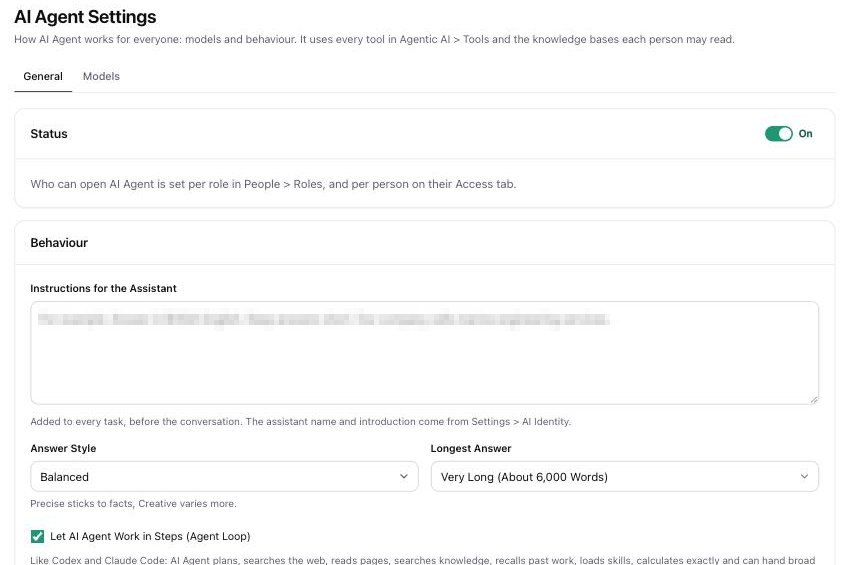
AI Agent Settings
Set instructions, answer style and length once for everyone in the organisation.
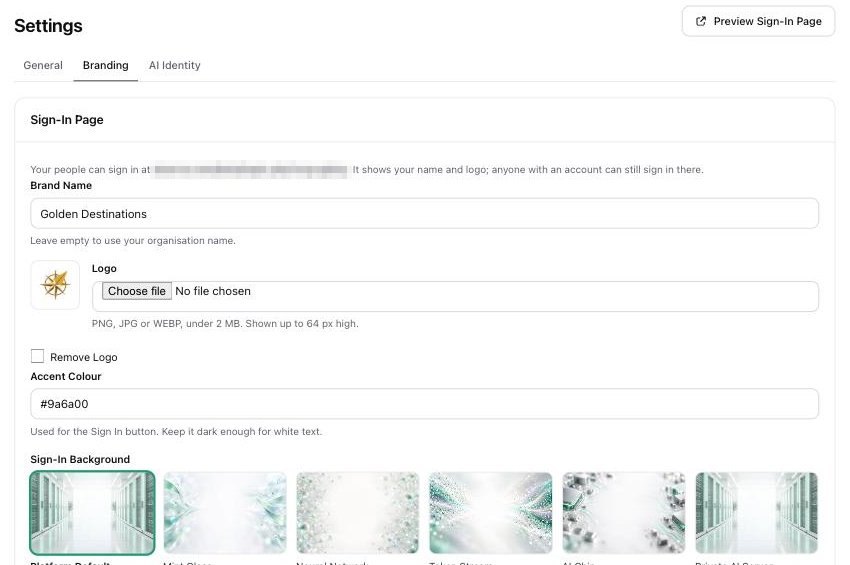
Your Name and Logo
Your logo, name and colour on the sign-in page, with a choice of backgrounds.
About These Screens
Are these real screens?
Yes. Every image is a capture of AiServa running with a travel company's documents, staff, models and tasks. The company is illustrative; the product screens are real.
Can I try these screens myself?
Yes. Start a free trial, pair your own AI server or add your own cloud key, and you get every screen shown here.
Create your own AiServa workspace.
Free for 14 days with every feature. Sign up, pair your own AI server or add your own cloud keys, invite your team and give the AI Agent a real task.