
Private AI for the Whole Company, Inside Your Own Walls.
The same AiServa platform, used company-wide: documents searched with the source page on every answer, repetitive work handled by agents with a human sign-off, and everything able to run inside your own network.
Private AI for the Whole Company, Inside Your Own Walls.
The same local AI server, scaled into a company platform: a private knowledge base that answers from your own documents with sources, document processing that reads reports, quotations and invoices, and workflow agents that take on the repetitive multi-step work. With local models, every model, document and vector stays on hardware your company owns; cloud models are used only if you add your own key.
Everything on this part of the page is built from the same AiServa features every workspace has: knowledge bases, skills, MCP servers, approvals and roles, set up by your own administrators. VYROX can help with larger rollouts, private-network or air-gapped deployments, and custom MCP servers if you want it to.

What Company-Wide Teams Ask About
Eight topics, in the order most IT, operations and management teams ask about them. Each links to the detail further down this page.
- 01 How Private Local AI Works Where the models run, and how company data stays inside your own infrastructure.
- 02 Document Q&A and RAG Search and ask across company documents, with a source reference on every answer.
- 03 Document Processing Extraction, summarisation, review and preparation of business documents.
- 04 Workflow AI and Agents Multi-step, repetitive processes handled by agents with a human sign-off.
- 05 Enterprise Use Cases Knowledge answers, extraction, quotation comparison, contract review and more.
- 06 Integration ERP, HR, email, file shares and document repositories you already run.
- 07 Hardware and Infrastructure What a rollout needs, and how it grows company-wide.
- 08 Access, Security and Audit Role-based access, audit trails, and offline or air-gapped deployment.
Four Layers, All on Your Side of the Firewall.
A private AI environment is not one model in a box. It is four layers working together, and every one of them runs on the AiServa server in your building, not in someone else's cloud.
Your Company Data
- Documents you upload, or save from a task
- ERP and accounting, via MCP servers
- HR and other systems, via MCP servers
- Email through your own SMTP
- Scans and photos
AiServa Server, on Your Premises
Applications and Agents
AI Agent with its tools, Knowledge Bases, Skills, Commands, Plugins, MCP Servers and workflow agents.
Language and Vision Models
Open-weight models that read, reason, summarise and write. Scans and photos read by a local vision model.
Embedding Model and Vector Database
Turns every passage into a searchable vector, kept in the built-in vector store or Qdrant with its source.
Access, Audit and MCP Servers
Sign-in, roles, document permissions, the audit log, Agent Runs, and the MCP servers that link to your systems.
Your People
- Browser on the office network
- Phone, through the encrypted connection
- AiServa Desktop and the Chrome extension
- Phone home-screen app
- Your own systems via the API and webhooks
What Stays Inside
Source documents, extracted text, embeddings, the vector index, prompts, answers, task history, audit logs and the models themselves. None of it goes to a cloud AI provider unless your organisation adds its own key and chooses a cloud model.
What Crosses the Tunnel
In connected mode, the encrypted session between a signed-in user and your own server, over the outbound-only connection described under Security and Privacy.
What Needs No Internet
Everything, if you choose. In private network or air-gapped mode the portal, models and knowledge base all run on the LAN, and updates arrive on verified offline media.
Ask Your Documents. Get the Page It Came From.
Retrieval-augmented generation (RAG) means the AI does not answer from memory. It first searches your own documents, reads the most relevant passages, and only then writes an answer, citing the file, page and section it used. If your documents do not contain the answer, it tells you instead of inventing one.
- Every answer carries numbered source references you can open
- Ask in English, Bahasa Malaysia or Chinese, across documents in any of them
- Staff only see answers drawn from documents they are allowed to open
- New and edited files are picked up automatically, old versions drop out

Example
How many days of annual leave do I get after three years, and who approves carrying leave forward?
After three years of service you get 18 days of annual leave a year 1. Up to 5 unused days can be carried forward, with approval from your head of department before 31 December 2.
Employee Handbook 2026.pdf
Page 12, Section 5.1 Annual Leave
Leave Policy.docx
Page 3, Section 2.4 Carry Forward
The Pipeline, Stage by Stage
What happens between a document landing in a Knowledge Base and a cited answer appearing on screen, all under your control. The RAG deep dive covers embedding models, vector databases, chunking and evaluation in detail, with a vector index sizing calculator.
-
01
Connect
Documents are uploaded into organisation, department or private knowledge bases, one by one or as a ZIP, or saved straight from a task.
Engineering: Office files, PDFs up to 5,000 pages, scans, text and data files; originals kept on your server.
-
02
Parse
Text, tables and headings are pulled out of PDF, Word, Excel, PowerPoint, email and scanned images.
Engineering: Layout-aware parsing keeps tables as tables. Local OCR for scans and photos, including English, Bahasa Malaysia and Chinese.
-
03
Chunk
Each document is split into passages that make sense on their own, keeping the heading they sit under.
Engineering: Structure-aware passages of about 1,200 characters, never cut mid-sentence, tables kept whole or split between rows with the header repeated, each tagged with its file and nearest heading.
-
04
Embed
Every passage is turned into a vector: a list of numbers that captures what it means, not just which words it uses.
Engineering: A multilingual embedding model runs on your server by default. An OpenAI-compatible embedding API is used only if you choose one.
-
05
Index
Vectors and their metadata are stored in the built-in vector store or in Qdrant. Only vectors and ids go to Qdrant; the text stays on your server.
Engineering: An approximate nearest neighbour index (HNSW is the most common type), with a keyword index such as BM25 added in enterprise implementations where exact identifiers matter.
-
06
Retrieve
A question is embedded the same way, and the closest passages are found by meaning and by exact terms at once.
Engineering: Hybrid search merges semantic and keyword results, so part numbers, clause numbers and names are never missed.
-
07
Rerank
A second, more careful model reads the shortlist and puts the genuinely relevant passages first.
Engineering: A reranking model (usually a cross-encoder) rescores the top 20 to 50 candidates. Only the best few reach the answer model.
-
08
Answer
The local language model writes the answer from those passages only, and cites each one.
Engineering: Grounded prompting with citation markers. If the documents do not say, the assistant says so instead of guessing.
The Engineering Choices Behind It
These are the layers of any private RAG system; AiServa ships its own for each, and the examples show common alternatives. The architecture is vendor-neutral: every layer can use any capable component. The right-hand column lists popular examples only, and the RAG deep dive shows common complete stacks.
Embedding Models, in Plain Terms
An embedding model reads a passage and places it at a point in a space of several hundred to a few thousand dimensions, so that passages with similar meaning sit close together. "Leave entitlement for new staff" lands near "annual leave in the first year" even though they share few words.
We choose the model for three things: the languages in your documents, the length of passages it handles well, and its measured retrieval accuracy on your own test questions. Changing the model later means re-embedding the library, which the server does in the background.
Vector Databases, in Plain Terms
A vector database stores those points and finds the nearest ones to a question in milliseconds, using an approximate nearest neighbour index (commonly HNSW) rather than comparing against every passage. Alongside each vector it keeps the metadata that makes answers trustworthy: source file, page, date, department and who may see it.
For a pilot of tens of thousands of passages, a compact embedded database is enough. For millions of passages, many departments and heavy filtering, a dedicated vector database server is used, with its index backed up like any other company database.
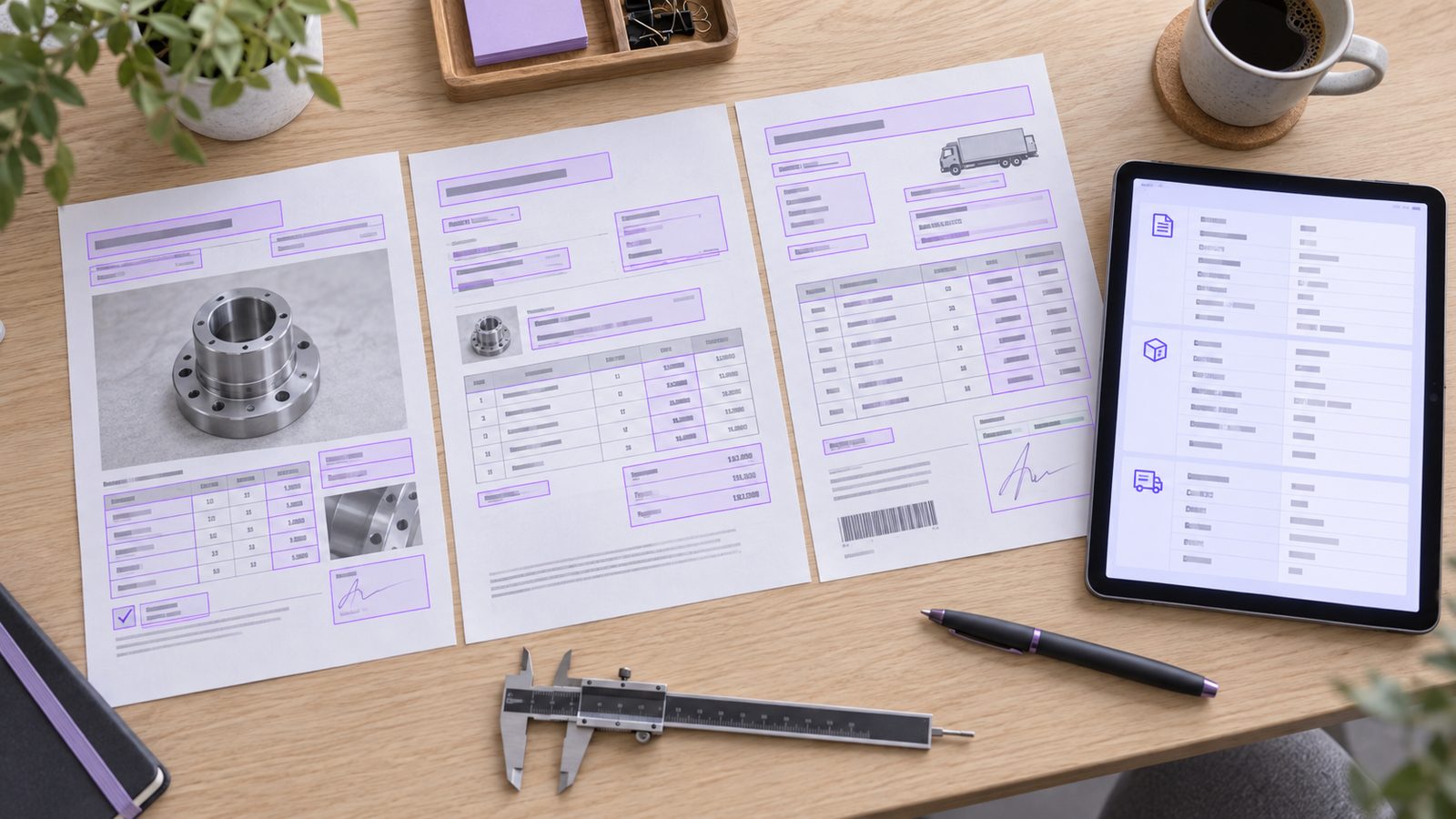
Reads the Paperwork So Your Team Can Decide.
Most business documents are read once, retyped once and filed. AI document processing reads them in any layout, including scans and phone photos, and hands back structured data, a summary, a review note or a first draft, with anything uncertain sent to a person. AI Agent's File Tools, PDF Tools and OCR Reader are the ready-made starting points; an enterprise deployment extends them to your own document types and systems.
Extraction
Fields, line items and tables from invoices, POs, delivery orders, certificates and forms, into JSON, Excel or straight into your ERP after review. Each value carries a confidence score and a pointer to where it was found.
Summarisation
Long reports, contracts, minutes and email threads reduced to a fixed format: key points, figures, decisions, open actions and risks, with links back to each source paragraph.
Review
A document checked against a checklist, a specification, a contract standard or another document: missing items, mismatches, out-of-limit values and non-standard clauses, each with a page reference.
Preparation
First drafts of reports, letters, NCRs, tender responses and replies, written in your house format from your templates and past documents, for a person to finish and sign.
Human in the Loop by Design
Nothing is posted, sent or approved on confidence alone. Each document type gets a threshold: above it, the result goes to a reviewer's queue ready to accept; below it, the uncertain fields are highlighted on the original page for correction. Every correction is logged and used to improve the prompts and rules for that document type.
The Multi-Step Jobs, Done the Same Way Every Time.
An AI agent is a language model that can take steps: read a document, look something up in the ERP, compare, draft, and hand the result to the right person. On AiServa, the agent runs on AI you own, can only use the tools you allow, and stops for a human decision at every point that matters.

How an Agent Runs a Quotation Comparison
One example of twelve. See workflow automation for the patterns, guardrails and a workflow for each profession.
- 01 Trigger
Quotations arrive in purchasing@ against RFQ 2291.
- 02 Read
Each PDF is parsed and its items, prices and terms extracted.
- 03 Look Up
The RFQ, last purchase prices and approved vendor list are fetched from the ERP.
- 04 Compare
Quotes are normalised and compared; deviations and risks flagged.
- 05 Approve
The buyer reviews the table and recommendation, then approves or edits.
- 06 Record
A draft PO is prepared, and Agent Runs records each step the agent took.
Good First Candidates
- Supplier quotation comparison and PO preparation
- Invoice to PO to delivery order three-way matching
- Report review against a specification, with a draft follow-up
- Shared inbox triage with draft replies
- Monthly management report compilation
- New-hire onboarding packs and policy acknowledgements
Guardrails on Every Agent
- An allow-list of tools and systems per agent, read-only by default
- Approval steps before anything is sent, posted or paid
- Runs under the requesting user's permissions, never an all-access account
- Step limits and time-outs so a run can never loop
- A full trace of what it read, decided and proposed
Nine Jobs Companies Start With.
Each one is a real, repeating task with a clear input, a measurable output and a person who signs off. Open any card for what goes in, what the AI does, and what comes out.
Internal Knowledge Assistant
- What Goes In
- SOPs, work instructions, manuals, policies, past project files and meeting minutes.
- What the AI Does
- Answers staff questions in plain language from the company's own documents and shows which document and passage the answer came from.
- What Comes Out
- Fewer repeated questions to senior staff, and new hires who find the right procedure on day one.
- AiServa Features Used
- Knowledge Bases, AI Agent, Memory
Document Extraction
- What Goes In
- Invoices, delivery orders, purchase orders, claims forms and shipping documents, scanned or digital.
- What the AI Does
- Reads each document, pulls out the fields that matter, checks totals and cross-checks related documents you provide.
- What Comes Out
- An Excel sheet or CSV ready to review and post, with anything unclear flagged for a person.
- AiServa Features Used
- OCR Reader, File Tools, Skills
Quotation Comparison
- What Goes In
- Three or more supplier quotations in different layouts, plus the original request.
- What the AI Does
- Extracts item, quantity, unit price, lead time, payment terms, warranty and exclusions, and lines the quotes up item by item.
- What Comes Out
- A side-by-side Excel comparison with every deviation from the request called out.
- AiServa Features Used
- File Tools, Skills, Approvals
Contract and Compliance Review
- What Goes In
- Supplier and customer contracts, NDAs, tenders and regulatory circulars.
- What the AI Does
- Compares a contract against your standard positions kept in a knowledge base, lists non-standard clauses, renewal dates and obligations, and checks a document against a checklist.
- What Comes Out
- A clause-by-clause review note with page references, ready for legal or management to decide.
- AiServa Features Used
- Knowledge Bases, Skills, File Tools
HR Policy and Onboarding
- What Goes In
- Employee handbook, leave and claims policies, benefits schedules and onboarding checklists.
- What the AI Does
- Answers policy questions for each employee from the handbook, and drafts letters and onboarding packs for HR.
- What Comes Out
- Consistent answers to the same HR questions, and HR time back for the cases that need judgement.
- AiServa Features Used
- Knowledge Bases, Commands, File Tools
Email Replies and Follow-Ups
- What Goes In
- Emails pasted or attached to a task, with your policies in a knowledge base.
- What the AI Does
- Drafts a reply grounded in your policies and past answers, as a card a person reviews and sends.
- What Comes Out
- Ready-to-send drafts, or sends through your own SMTP to addresses you typed.
- AiServa Features Used
- Email, Knowledge Bases, Commands
Management Reporting and Summaries
- What Goes In
- Monthly reports from departments, board papers and long email threads.
- What the AI Does
- Summarises each report, pulls out the numbers and exceptions, and compiles them into one brief in your format.
- What Comes Out
- A short brief as Word or PDF, with every source listed.
- AiServa Features Used
- AI Agent, File Tools, Skills
Tender and RFP Preparation
- What Goes In
- An incoming tender document plus your library of past submissions, company profile and certificates.
- What the AI Does
- Breaks the tender into requirements, finds the best past answer for each in your knowledge base, and drafts a compliance matrix and first-draft responses.
- What Comes Out
- A requirement checklist and response draft for the team to refine, instead of a blank page.
- AiServa Features Used
- Knowledge Bases, Skills, File Tools
Report Review Against a Specification
- What Goes In
- Inspection, test or audit reports and the specification or checklist they should meet.
- What the AI Does
- Reads each report, compares the results with the specification and flags anything out of tolerance or missing.
- What Comes Out
- A summary table of exceptions and a draft follow-up for a reviewer to confirm.
- AiServa Features Used
- Knowledge Bases, OCR Reader, File Tools

Works with the Systems You Already Run.
No rip and replace. The AI server connects to your document repositories, ERP, HR system, email and sign-in through standard interfaces, starting read-only, and writes back only where a use case needs it and a person has approved it.
Integration principles: MCP server keys stay sealed on the server, each MCP server asks before use unless you say otherwise, individual MCP server tools can be switched off, and anything that needs sign-off goes through Approvals. Tasks your own systems start through the API have nobody to ask, so anything that would ask is refused, and they are read-only unless the key has Allow Actions.
Start with One Server. Grow Without Starting Over.
A company-wide rollout starts with one capable AI server, a network point and a place to put it. Growing adds servers, not a new platform: knowledge bases, apps, users and audit history carry forward. The console shows which models fit each server.

One Team
One server or your own cloud keys
One team, a first knowledge base and one repeating job.
- Create the workspace and invite the team
- Upload the team's key documents
- Turn the repeating job into a skill or command
- Check the answers against the sources
Departments
Add servers as needed
More teams, department knowledge bases and the first MCP servers.
- Roles, departments and record levels
- MCP servers for the systems people use
- Approvals for access and sign-off
- Agent Runs and the audit log for IT
Company-Wide
Several servers, one workspace
Every department and branch, large document collections, many people at once.
- More AI servers paired to the same workspace
- Organisation skills and memory everyone shares
- AiServa Desktop and the Chrome extension
- Optional private-network or air-gapped deployment by VYROX
What a Rollout Needs From Your IT Team
The first documents to load into a knowledge base
Staff email addresses, roles and departments
A backup target for indexes and settings
30 to 50 real questions with known answers, to check accuracy
Power, network, placement and noise are covered under Living With a Machine in the Building, and the order to roll it out to people under Move Over in Pieces.
Controlled, Recorded, and Able to Run Offline.
The questions an IT manager, a compliance officer and an auditor ask: who can see what, where the data sits, what is recorded, and whether it can run with no internet at all. Here are the answers.
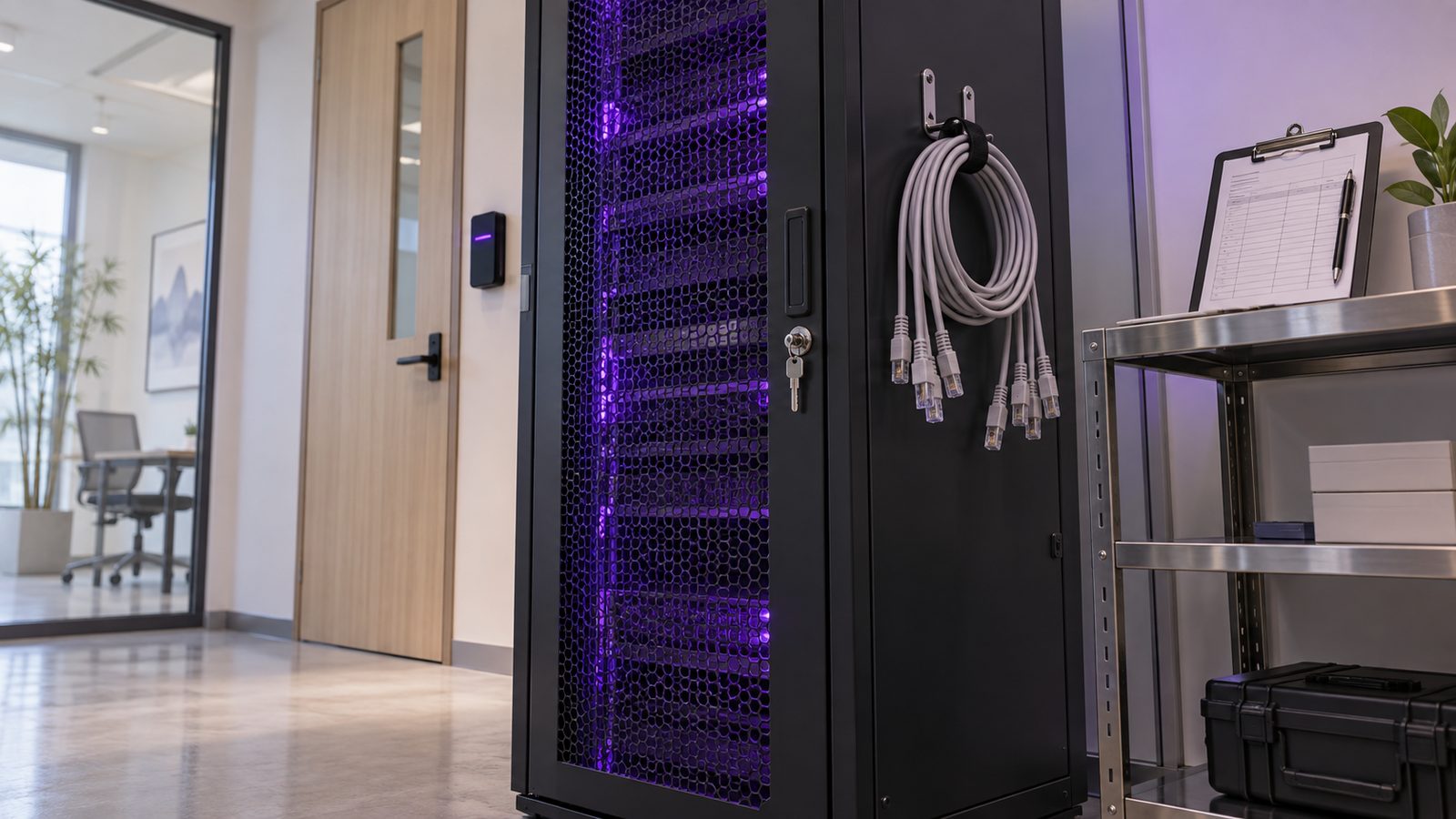
User Access Control
- Staff sign in with their own accounts and TOTP two-step sign-in; a Sign-In Policy can require two-step for everyone and limit sign-up to your email domains.
- Roles, per-user permissions and per-tool rights decide which tools, Knowledge Bases and Apps each person can use.
- Knowledge base access (Named People Only, Department or All Staff, with Allow or Deny) is enforced at every search.
- Separate knowledge bases per department, for example HR, Finance and Engineering.
Data Security
- With local models, models, documents, vectors and AI Agent task history stay on hardware inside your premises.
- Provider keys, MCP server keys and mail passwords are sealed at rest; API and pairing tokens are stored as hashes.
- Cloud AI is called only if your organisation adds its own key; with local models no outside AI API is used for embedding, retrieval or answering.
- Each person can switch memory off and delete their saved memories and task summaries.
Auditability
- An audit log records administrator changes, and Agent Runs keep the history of every task: where it came from, its tool calls, questions and refusals.
- Approvals keep a timeline of who asked, who decided and when.
- File Sharing keeps a full history of every shared file.
- Citations mean every answer can be checked against its source document.
Offline and Air-Gapped
- Connected mode: the standard AiServa setup, reached through the outbound-only connection.
- Private network mode (optional VYROX deployment): the portal runs on your own LAN.
- Air-gapped mode (optional VYROX deployment): fully disconnected; updates arrive on verified offline media.
- The same AI Agent and Knowledge Bases work in all three modes; web search, browser tasks and cloud models need internet.
Three Deployment Modes
See It Working on Your Own Documents.
Create a workspace, upload a handful of real documents (a policy manual, three quotations, a contract) and give the AI Agent a real task. Free for 14 days with every feature.
Questions, Answered
Can multiple people in my company use the same local AI server?
Yes. One AI server serves many staff accounts, each with their own sign-in, role, department and permissions. Administrators decide which tools, Knowledge Bases and records each person can reach. Capacity depends on the server, and more servers can be added to the same workspace.
What is RAG, and how does AiServa use it for company documents?
RAG (retrieval-augmented generation) means the AI searches your own documents first, reads the most relevant passages, and only then writes an answer, citing the sources it used. AiServa Knowledge Bases do this with local embedding models on your server or any OpenAI-compatible embedding API you choose, and a built-in vector store or Qdrant, where only vectors and ids are stored and the text stays on your server. If the documents do not contain the answer, the agent says so rather than guessing.
Which embedding model and vector database does AiServa use?
Knowledge Bases use a local embedding model on your server, or an OpenAI-compatible embedding API if you choose one, with either the built-in vector store or Qdrant per Knowledge Base. Search combines keyword and meaning search with a similarity floor set for each embedding model and an optional reranker, every answer cites its sources, and the RAG Lab shows each stage of a search.
Can AiServa connect to our ERP, HR system, email and file shares?
Yes. AI Agent can use your own MCP servers and send through your organisation's SMTP. Through the REST API your systems can start AI Agent tasks, collect the answers and files, and search knowledge bases, and signed webhooks tell them when things happen. Any system with an MCP server can be connected by your own administrators, each MCP server set to ask before every use or not. VYROX can also help build MCP servers if you prefer.
Can it run fully offline or air-gapped?
Yes, as an optional VYROX deployment service. Besides the standard connected mode, AiServa can run in private network mode, with the portal on your own LAN, or fully air-gapped, with models and updates delivered on verified offline media. Web search, browser tasks and cloud models are not available without internet.
What hardware does a company-wide rollout need?
Usually one capable AI server to start with one department, plus a network point, a ventilated space and a backup target. Growing company-wide adds servers to the same workspace rather than a new platform. The console shows which models fit each server.
Create your own AiServa workspace.
Free for 14 days with every feature. Sign up, pair your own AI server or add your own cloud keys, invite your team and give the AI Agent a real task.