hub AISERVA
Local AI server bridge

Your AI runs on
hardware you own.

Unlimited use, nothing leaves your network, and 18 purpose-built apps on one connection.

A local AI server on a desk linked by a glowing violet light trail to a laptop showing the AISERVA app dashboard
all_inclusive No usage metering shield Nothing leaves your network apps 18 apps and growing bolt Zero-config connect dns Works with your own AI server
Close-up of the glowing violet perforated front grille of a local AI server chassis

18+

Purpose-built apps in the marketplace, and growing

0

Message limits imposed by AISERVA itself

100%

Of inference happens on hardware you own

1

Encrypted connection powers every app you open


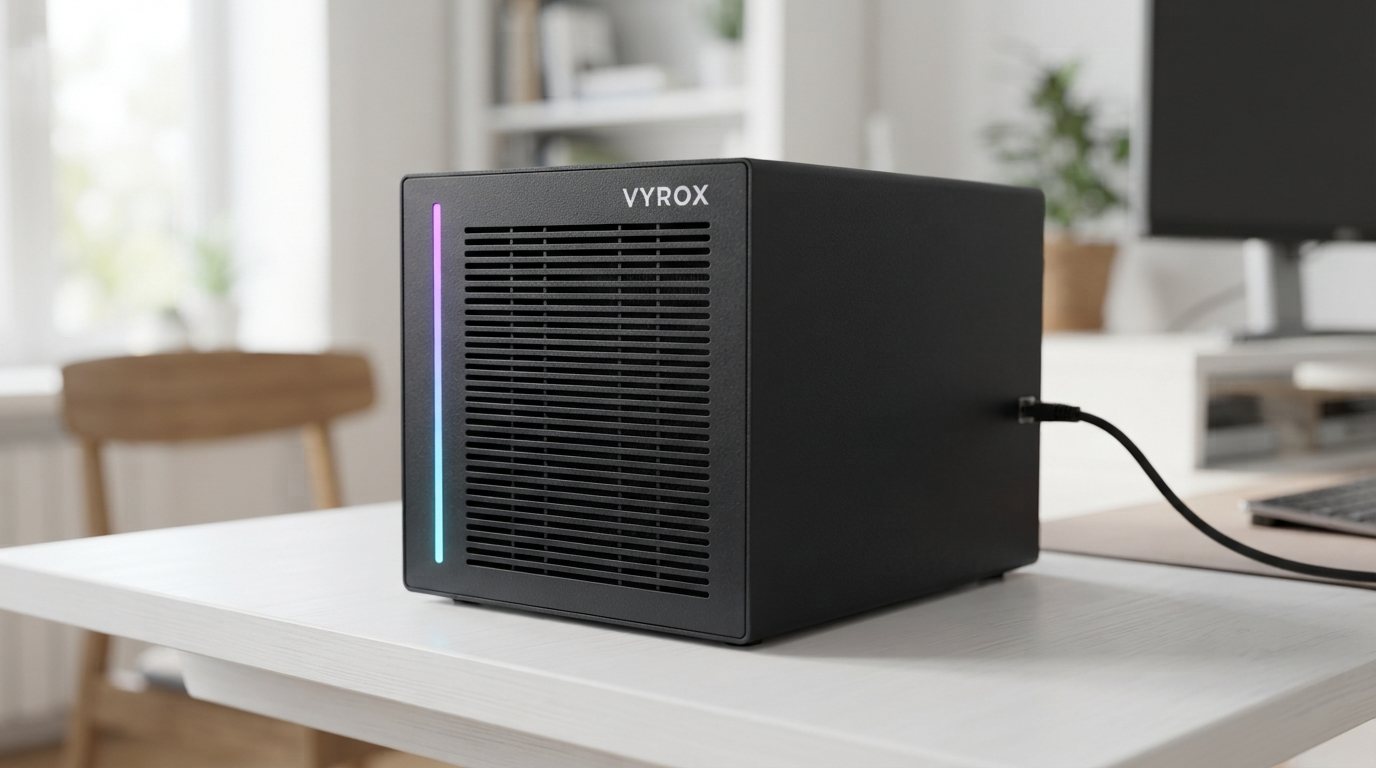
AISERVA is the bridge between your own local AI server and a marketplace of AI apps. Get the server from VYROX ready to plug in, or have hardware you already own customised for it. Either way, every request is processed on your machine and never on shared cloud infrastructure.

Cloud AI meters you.
Your hardware doesn't.

Every prompt to a cloud provider costs them compute, so they cap you, throttle you, or charge you per token. Your own server has no such incentive. Once it is running, using it once or ten thousand times costs the same.
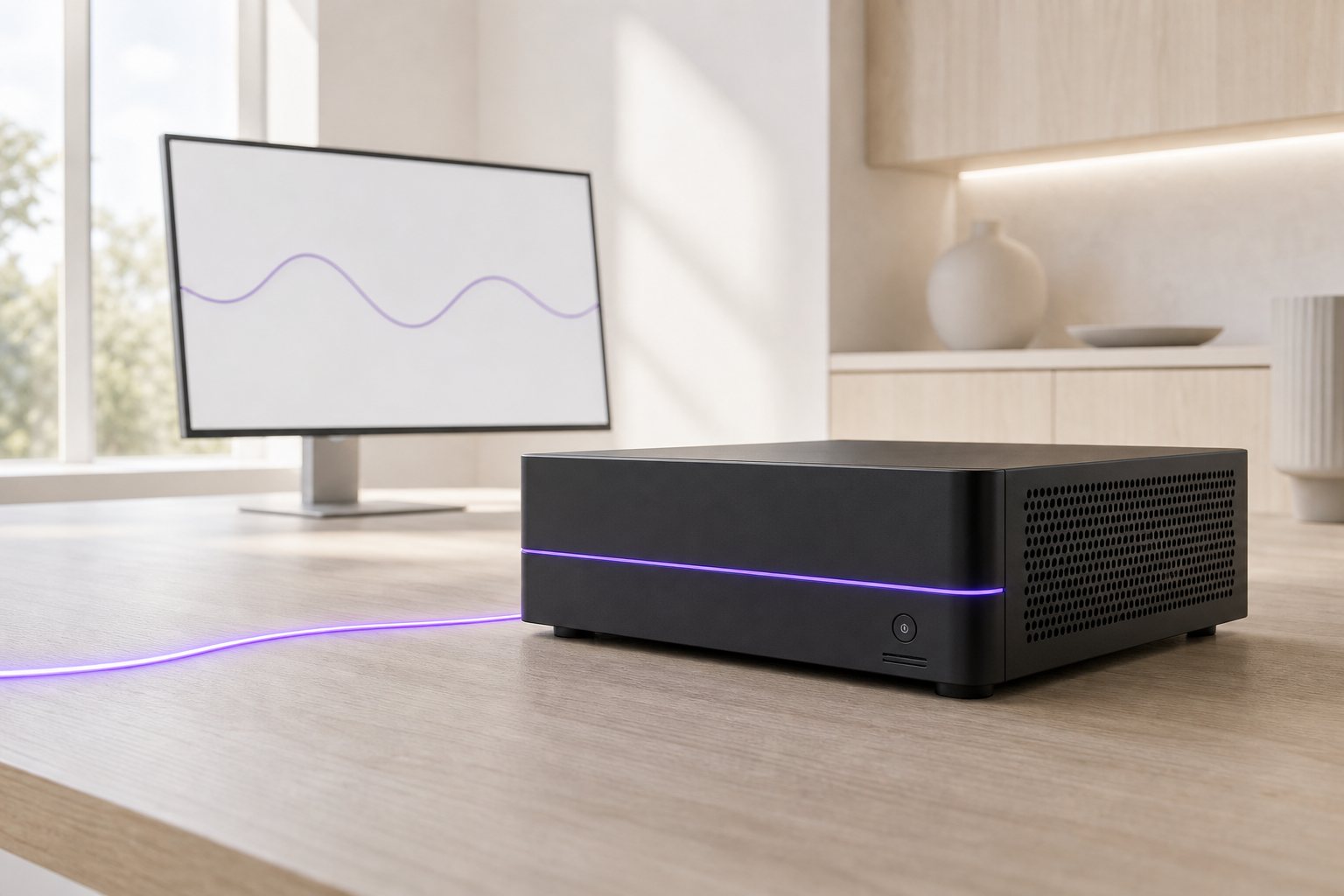
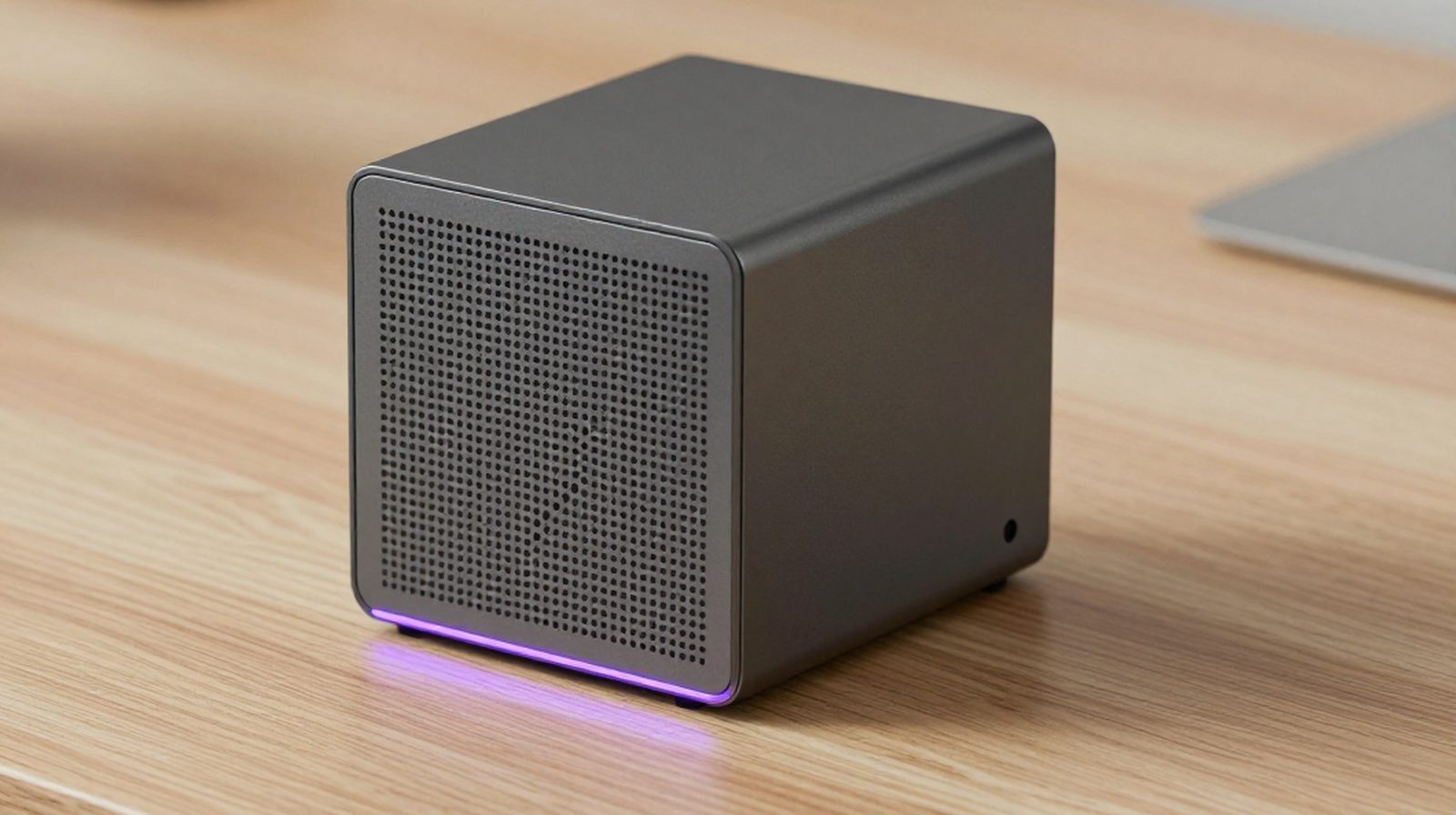
A compact local AI server on a pale oak desk with an unbroken violet light seam flowing off the edge of the frame, beside a monitor showing a continuous activity waveform with no usage cap or limit marker
timer_off

Rate limits and quotas

Cloud plans throttle you mid-task, reset weekly caps, or push you to a higher tier the moment you are actually productive with the tool.

payments

Per-seat, per-month cost

Add a teammate, pay again. Use it heavily, pay more. The bill scales with your usage, not with the hardware you have already invested in.

cloud_off

Your data, their servers

Every document, receipt or conversation you type into a cloud AI is processed on infrastructure you do not control, under a policy you did not write.
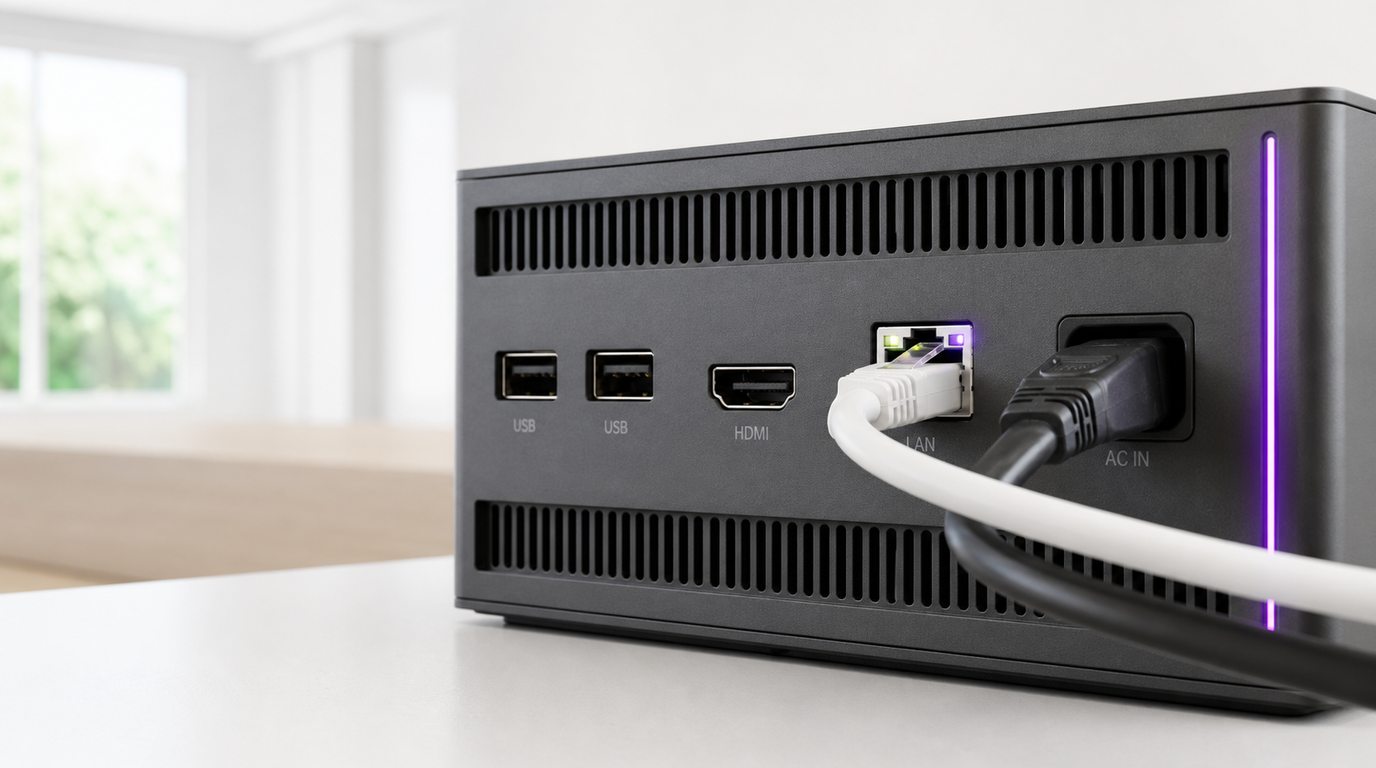
Close-up of the rear panel of a local AI server with an ethernet cable and power lead seated in their ports and a violet status light strip glowing beside them

Power on. Plug in. Online.

No port-forwarding, no static IP, no router configuration. A lightweight agent on your server dials out over an encrypted tunnel the moment it has power and a network connection.

  1. 01

    Power on your local AI server

    Switch on the hardware running your AI model, your own machine, on your own premises.

  2. 02

    Plug in the network cable

    The agent auto-establishes an encrypted, outbound-only tunnel the moment it has internet access. Nothing to configure on your router.

  3. 03

    Sign in at aiserva.com

    Your dashboard shows your server as Online the instant the tunnel connects, from any device, anywhere.

  4. 04

    Open any AI app, use it without limits

    Every app in the marketplace runs against your connected server, as much as you want, whenever you want.

Your own server, a different model from the AI you know.

This is not a knock on ChatGPT, Claude or Gemini, they are excellent products. AISERVA is simply a different approach: intelligence that runs on your own local AI server, under your own control.

A compact violet local AI server and a frosted glass cube representing remote cloud computing, side by side on a pale surface

swipe Swipe sideways to compare all columns

Dimension AISERVA (your local AI server) ChatGPT Plus Claude Pro Gemini Advanced
Message rate limits None imposed by AISERVA, bound only by your hardware Message caps & rate limits Message caps & rate limits Message caps & rate limits
Where inference happens On your own hardware Provider's cloud Provider's cloud Provider's cloud
Data leaves your network? No, stays on your server Yes Yes Yes
Model choice Whatever you run locally Fixed to provider's models Fixed to provider's models Fixed to provider's models
Purpose-built apps included Yes, InstaClaim, MarkCheck & more Generic chat Generic chat Generic chat
Recurring cost model One-time or project cost for the hardware, then no per-seat bill Monthly, per seat Monthly, per seat Monthly, per seat
Setup effort One-time server setup, then zero-config for every app after Sign up and go Sign up and go Sign up and go

AISERVA requires a local AI server, either supplied by VYROX or set up as a customisation project with VYROX. Talk to Patrick to scope what fits your setup. Note the trade-off honestly: cloud plans win on setup effort (sign up and go), AISERVA wins everywhere usage, privacy and long-run cost matter. Running an open-source model entirely on your own is possible too, but the tunnelling, the dashboard, the per-app interfaces and the updates are then all yours to build and maintain indefinitely.

A cloud plan is not the only thing you are choosing between.

Three other options come up in almost every conversation, and each one deserves a straight answer rather than a strawman.

Against AI features sold per seat

Most business software now bolts an AI feature onto its existing plan and charges for it per person per month. It is convenient, and it is genuinely useful inside that one product. The catch is that it only works inside that one product, and the bill scales with headcount rather than with value. Ten people with three AI-enabled tools each is thirty recurring charges before anyone has done any work.

AISERVA runs a marketplace of apps against one machine. Adding the eleventh member of staff does not add an eleventh charge from AISERVA.

The trade: those bolted-on features already sit inside the software your team lives in every day, and that convenience is real.

Against hiring someone to do it

A lot of what these apps do is currently done by a person: keying receipts, reconciling invoices against orders, reading long documents to find one clause, checking that nothing was missed. Hiring solves it, and a person brings judgement no software has.

The realistic framing is not replacement. It is that the repetitive half of the job stops eating the day, so the person you already employ spends their time on the half that needs a human. Every app here proposes and a person confirms; none of them act alone.

The trade: a person handles the strange exception on the spot. Software flags it and waits for you.

Against carrying on as you are

This is the option most businesses actually pick, and for a lot of them it is the right one. If the paperwork is not painful, nobody is complaining, and the volume is low, there is no argument here worth making.

It becomes the wrong answer at the point where the same repetitive job is quietly consuming a day a week, or where staff have already started pasting company documents into public AI tools to get through it. The second one is the more urgent problem, and it is usually already happening.

The trade: doing nothing costs nothing today. It is the day-a-week and the pasted documents that cost.

You could build this yourself.

Running an open-source model on your own machine is genuinely possible, and some people do exactly that. The model is the easy part. Everything around it is the work AISERVA already did.

An untidy improvised computer build with tangled cables beside a single clean sealed violet server unit with one tidy cable

Remote access, without exposing your network

Reaching a machine at your office from anywhere normally means port-forwarding, a static IP or a VPN to maintain. AISERVA does it with an outbound-only encrypted tunnel instead.

An interface per job, not one chat box

A raw model gives you a prompt. Reading a stack of receipts into a claim form, or checking a script for unmarked questions, is a purpose-built app someone has to design and build.

Accounts, sign-in and multi-user access

Sharing one server across a team means logins, permissions and a dashboard. That is an application layer, separate from the model itself.

Updates that keep arriving

Models, runtimes and apps all move. On a DIY setup, every update is a job you schedule and test yourself, indefinitely.

Someone to call

When a DIY rig stops working, you are the support team. With AISERVA the hardware and the platform are both scoped and supported by VYROX.

AI app marketplace

One connection. Eighteen apps.

Every app runs against your connected local AI server without message rate limits, and each one is built for a specific job instead of a generic chat box.

Overhead view of a desk with a violet local AI server surrounded by receipts, a contract, a spreadsheet, headphones and a notebook representing different AI tasks

What the marketplace covers

Analytics · 1
DataChat
Communication · 1
InboxPilot
Creative · 1
ImageForge
Developer · 1
CodeForge
Documents · 1
DocuMind
Education · 1
MarkCheck
Finance · 1
InstaClaim
HR · 1
ResumeSort
IT Ops · 1
SecuritySentry
Investing · 3
StockPulse, RiskRadar, MarketScan
Language · 1
TransLingo
Legal · 1
LegalLens
Procurement · 1
InvoiceIQ
Productivity · 1
VoiceScribe
Real Estate · 1
PropertyEye
Support · 1
SupportGenie

Browse all 18

Four of them, up close.

A spread of paper receipts on a desk beside a smartphone showing the InstaClaim app with each receipt turned into an itemised, categorised claim line and a running total
Finance

Snap receipts, build the claim.

Reimbursement claims die on the desk because nobody wants to type out ten receipts by hand. InstaClaim reads a photo of a receipt, even a crumpled one, and turns it into a structured line: merchant, date, amount and category.

  • check_circle Photograph a whole stack of receipts in one go
  • check_circle Auto-categorised, auto-totalled claim form
  • check_circle Edit any line before submitting, the AI proposes, you confirm
A teacher's laptop showing scanned exam scripts with green checkmarks on marked scripts and an amber warning on a script with an unmarked question
Education

Never hand back a half-marked script.

The most common marking mistake is not a wrong mark, it is a missed one. MarkCheck reads a scanned answer script and confirms every question has actually been marked, flagging anything blank or unscored before the paper goes back to a student.

Looking for AI that proposes marks and comments too? See SMARTSERVA's AI Exam Marking, a separate, deeper module.

A laptop showing a stock candlestick chart with a violet trend line moving upward
Investing

Reads the market before you open ten tabs.

Point it at a ticker and StockPulse reads technicals, fundamentals and recent headlines together in one pass: support and resistance levels off the actual chart, valuation benchmarked against the sector, and only the headlines genuinely moving the price today.

A laptop showing a spreadsheet where a plain-English question has highlighted the matching rows in violet, with a summary bar chart above, connected by cable to a local AI server
Analytics

Ask the spreadsheet, skip the formulas.

Most people who need an answer from a spreadsheet do not want to write a pivot table, they want the answer. Point DataChat at a spreadsheet, CSV or database and ask in plain English.

  • check_circle Works against spreadsheets, CSVs and connected databases
  • check_circle Shows the query it ran, so you can check its work
  • check_circle Your data never leaves your server to answer a question

Open any app for the full picture.

What you put in, what you get back, one real task worked through, and who in a business actually ends up using it. Every app in the marketplace, expanded on demand.

receipt_long InstaClaim Finance expand_more

Snap. Submit. Done.

What goes in
Photos of receipts, invoices or till slips, taken on a phone, one at a time or a whole stack in one go.
What comes back
An itemised claim form with merchant, date, amount and category on every line, totalled, ready to edit and submit.
A task, worked through
A salesperson comes back from a week on the road with fourteen crumpled receipts in an envelope. They photograph the lot on the office table, and by the time they sit down the claim is built, categorised and totalled, with two lines flagged for a human to confirm.
Who uses it
Anyone who claims expenses, plus the finance person who currently chases them.
fact_check MarkCheck Education expand_more

Every question, accounted for.

What goes in
A scanned or photographed answer script, or a batch of them.
What comes back
A per-script report showing which questions carry a mark and which do not, with the unmarked ones flagged.
A task, worked through
A teacher finishes a class set late on a Thursday. Before the scripts go into the pigeonholes, the batch is checked and two papers come back flagged: one question skipped on page three of one script, and a sub-question left unscored on another.
Who uses it
Teachers, heads of department and exam officers.
description DocuMind Documents expand_more

Ask your documents anything.

What goes in
Contracts, reports, policies, manuals or any pile of documents you want to be able to interrogate.
What comes back
A plain-language answer with a citation pointing at the exact clause or page it came from.
A task, worked through
Someone asks what the notice period is on a supplier agreement signed four years ago. Instead of opening the file and reading it, the question is asked directly and the answer comes back with the clause quoted and the page number attached.
Who uses it
Anyone who owns a document library: operations, legal, compliance, facilities.
mic VoiceScribe Productivity expand_more

Meetings, minus the note-taking.

What goes in
An audio recording of a meeting or a call.
What comes back
A cleaned-up transcript split by speaker, a summary, and a list of action items with owners against them.
A task, worked through
A forty-minute project meeting ends and nobody took notes. The recording goes in, and what comes back is a summary plus six action items, each attached to whoever agreed to it in the room.
Who uses it
Project managers, operations leads and anyone who chairs recurring meetings.
table_chart DataChat Analytics expand_more

Talk to your spreadsheet.

What goes in
A spreadsheet, a CSV export or a connected database.
What comes back
The answer to your question, the chart that goes with it, and the query it ran so you can check its work.
A task, worked through
A shop owner wants to know which product lines lost money last quarter once returns are taken out. They ask in a sentence, and get the list, the chart, and the query used to produce it.
Who uses it
Owners, finance leads and operations staff who do not want to write formulas.
gavel LegalLens Legal expand_more

Read the fine print for you.

What goes in
A contract or agreement, incoming or outgoing.
What comes back
Extracted key clauses, a list of terms that sit outside your normal position, and a plain-language read on where the risk is.
A task, worked through
A renewal agreement arrives from a supplier. It comes back with the auto-renewal window, the liability cap and an indemnity clause highlighted as unusual, in plain language, before anyone senior spends time on it.
Who uses it
Partners, in-house counsel, procurement and any owner who signs their own contracts.
forward_to_inbox InboxPilot Communication expand_more

Drafts that sound like you.

What goes in
An email thread you want to answer.
What comes back
A draft reply written in your own tone, sitting there waiting for you to edit and send. It never sends on its own.
A task, worked through
Thirty client emails accumulate over a busy morning. Drafts are prepared for all of them; the founder reads each one, changes two, and sends the batch in the time it used to take to write four.
Who uses it
Founders, account managers and anyone whose inbox is the bottleneck.
image ImageForge Creative expand_more

Product shots, without a studio.

What goes in
A product photo, a rough shot or just a description of the image you need.
What comes back
Cleaned-up product images, marketing creatives and social assets, generated and edited on your own machine.
A task, worked through
New stock arrives and gets photographed on a phone against a messy counter. What goes on the website is a clean, consistent product shot, produced without booking a studio and without uploading the product to anyone else.
Who uses it
Retail and e-commerce owners, marketing staff, anyone maintaining a catalogue.
trending_up StockPulse Investing expand_more

Reads the market like an analyst.

What goes in
A stock ticker.
What comes back
One plain-language read combining the chart, the fundamentals and the news actually moving the price.
A task, worked through
Instead of opening ten tabs before deciding anything, one name is checked and the answer covers where support and resistance sit, how the valuation compares with its sector, and which headline is behind today's move.
Who uses it
Individual investors and anyone who reviews holdings regularly.
shield RiskRadar Investing expand_more

Stress-tests your portfolio before the market does.

What goes in
A list of holdings.
What comes back
Drawdown scenarios, concentration and correlation exposure, and a ranked list of what would hurt most in a downturn.
A task, worked through
A portfolio that looks diversified turns out to have three positions that move together, so what reads as spread is really one bet. That shows up before a bad month, not after it.
Who uses it
Investors, treasurers and anyone accountable for a portfolio.
newspaper MarketScan Investing expand_more

A market briefing, not a wall of tabs.

What goes in
A sector or a watchlist of tickers.
What comes back
One morning briefing covering overnight news, earnings surprises and analyst rating changes.
A task, worked through
Rather than scrolling three news sites before the market opens, one briefing is waiting in the dashboard covering only the names being watched.
Who uses it
Investors, analysts and anyone who starts the day with a market read.
badge ResumeSort HR expand_more

Shortlists without the skim-reading.

What goes in
A job description and a folder of resumes in whatever format they arrived in.
What comes back
A ranked shortlist with a written reason against every candidate, so you can disagree with it.
A task, worked through
Ninety applications come in for one role. Instead of skim-reading all of them, a ranked shortlist arrives with the reasoning shown, and the hiring manager reads twelve properly instead of ninety badly.
Who uses it
Hiring managers, HR staff and owner-operators who recruit occasionally.
support_agent SupportGenie Support expand_more

Answers pulled from your own knowledge base.

What goes in
Your own help documents, product notes and past support tickets.
What comes back
A support chat that answers from your material, and says so when your material does not cover the question.
A task, worked through
A customer asks about a returns edge case at nine in the evening. They get the answer that matches your actual policy, because the answer came from your policy and not from a model guessing at industry norms.
Who uses it
Support teams, operations and any business with repeat customer questions.
translate TransLingo Language expand_more

Speaks every language your customers do.

What goes in
Documents, chat messages or voice notes in one language.
What comes back
The same content in another language with tone and formatting preserved.
A task, worked through
A supplier quotation arrives in a language nobody in the office reads. It is translated in place, layout intact, without the commercial terms passing through a public translation service.
Who uses it
Anyone dealing with cross-border suppliers, customers or staff.
data_object CodeForge Developer expand_more

A coding assistant that never leaves the building.

What goes in
Your own private codebase.
What comes back
Completion, review comments and refactor suggestions, with nothing indexed or uploaded anywhere.
A task, worked through
A developer asks why a payment routine behaves oddly on retries. The assistant reads the actual repository to answer, which is precisely the thing a company under a client confidentiality agreement cannot do with a hosted assistant.
Who uses it
Development teams, technical founders and agencies under client NDAs.
receipt InvoiceIQ Procurement expand_more

Matches invoices to POs, automatically.

What goes in
Incoming vendor invoices, plus your purchase orders and receiving records.
What comes back
A matched set, and a flagged exception list of anything that does not reconcile.
A task, worked through
Sixty invoices arrive in a month. Fifty-seven match cleanly, and three are flagged: one quantity short-delivered, one priced above the agreed rate, one duplicate. Those three get looked at, before payment rather than after.
Who uses it
Accounts payable, procurement and warehouse supervisors.
house PropertyEye Real Estate expand_more

Values a property before you view it.

What goes in
A property listing, with its description and photographs.
What comes back
An estimate of fair value and rental yield against comparable transactions, plus anything inconsistent in the listing itself.
A task, worked through
A listing claims a renovated kitchen while the photographs show the original one, and the asking price sits well above nearby comparable sales. Both points surface before anyone drives out to view it.
Who uses it
Property investors, agents and landlords.
security SecuritySentry IT Ops expand_more

Reads your logs so you don't have to.

What goes in
Server, application and access logs.
What comes back
A short summary of what is unusual and worth a human look, rather than a wall of log lines.
A task, worked through
A handful of failed logins at three in the morning against one account, from somewhere nobody works, gets surfaced as a single readable line instead of sitting unread in a log file nobody opens.
Who uses it
IT staff, managed service providers and technically minded owners.
Macro detail of an ethernet cable plugged into the back panel of a violet local AI server beside a glowing status LED
Security and privacy

Your server. Your data. Your control.

Privacy is not a bolt-on feature here, it is the reason AISERVA is built this way. Every architectural decision starts from one rule: inference happens on your hardware, not ours.

lock

Local-only inference

Every AI app request is routed to and processed on your own connected server, never on shared cloud infrastructure.

vpn_lock

Encrypted tunnel

The connection between your server and aiserva.com is encrypted end-to-end and outbound-only, nothing is exposed to the open internet.

block

No training on your data

Your documents, receipts, scripts and conversations are yours. AISERVA does not use them to train any model.

history

Full connection audit log

See exactly when your server connected, disconnected, and which app used it, from your dashboard.

power_settings_new

Revoke access anytime

Power off your server, or revoke the pairing from your dashboard, and the tunnel closes immediately, every time.

dns

You own the hardware

There is no shared multi-tenant model. Your AI server is exactly that, yours, physically, at all times.

policy

Zero-trust by design

Every connection is authenticated and outbound-only from your server's side. AISERVA never initiates a connection into your network.

gpp_good

Privacy-aware handling

Anything processed through the marketplace is treated as sensitive by default, with consent-aware handling for personal data.

Why this matters more than a privacy policy.

A privacy policy is a promise about how data will be handled. AISERVA's architecture makes the promise structural: your documents, receipts and conversations physically never travel to a shared server in the first place, so there is no third party in the loop to make a promise to. What stays local is not a setting you have to remember to turn on, it is the only way the system works.

That matters most for the records that carry the most risk if they leak: patient files, client contracts, payroll data, financial statements. AISERVA is built for exactly the kind of business that cannot take a chance on where that data ends up.

A small home-office server cabinet with a glowing violet LED strip and a lock detail, representing physical ownership of your own AI hardware

Where a request actually goes.

People ask this more than any other question, so here is the whole path, in plain language, for a single document you upload to any app.

  1. 01

    You open an app

    You sign in to aiserva.com on a laptop or phone and pick an app from your dashboard.

  2. 02

    The file goes down the tunnel

    Your document travels through the encrypted connection your server opened, addressed to your server and nothing else.

  3. 03

    Your hardware does the thinking

    The model reads the document on your own machine, in your own building. This is the step that costs money on a cloud plan.

  4. 04

    The answer comes back

    The result returns along the same connection and appears in the app you opened.

  5. 05

    Nothing is left behind

    aiserva.com relayed the connection. It is not where your document was read, and not where it lives afterwards.

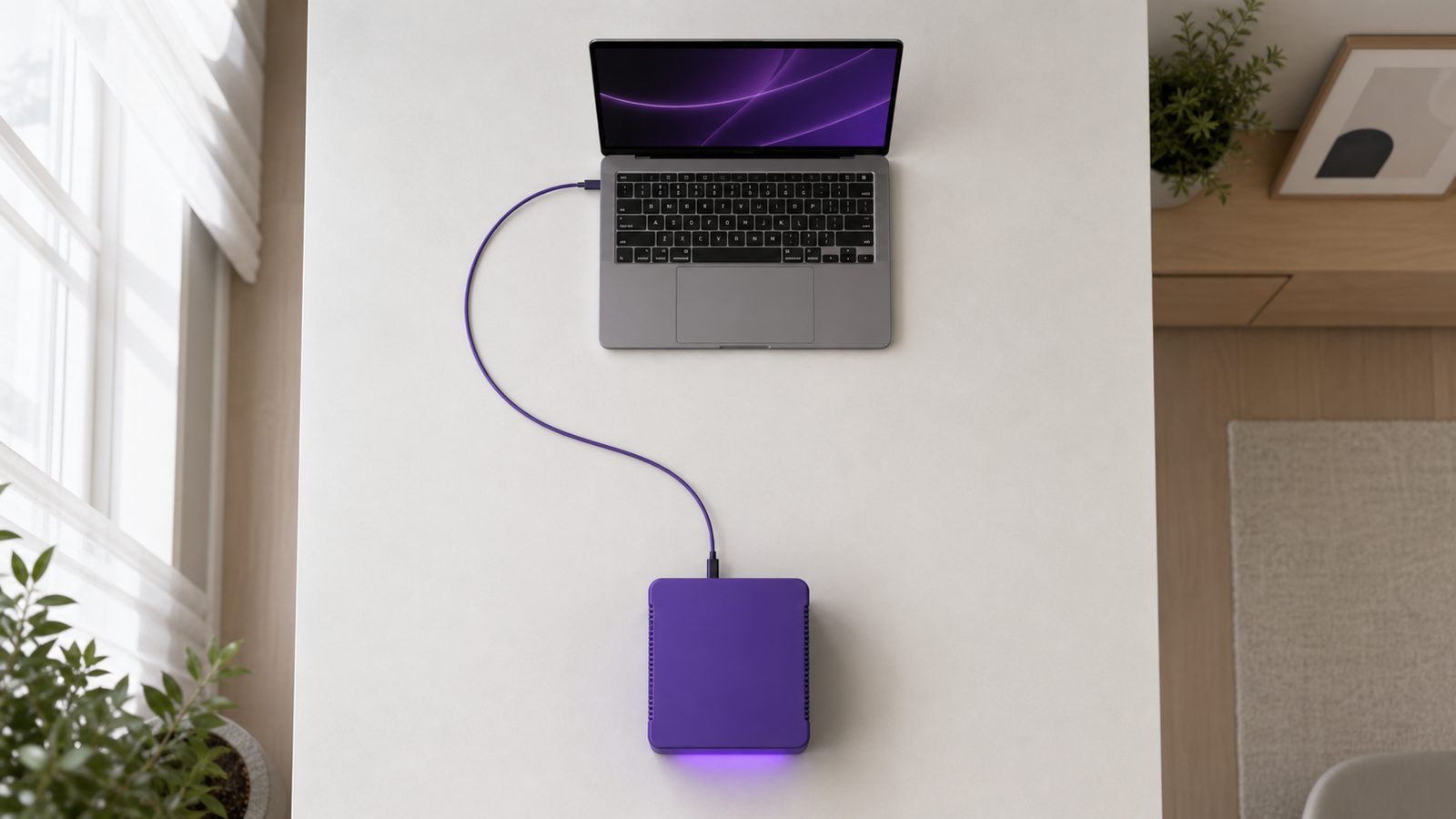
Overhead view of a laptop and a violet local AI server on a desk joined by a single neatly routed cable
A laptop on a pale grey desk showing an access and activity record as a list of rows with status marks, one row highlighted in violet, beside a small brushed metal key and a local AI server

The questions an auditor asks, and how long it lasts.

Owning the machine changes the answers to most governance questions, usually in your favour, and it also means the hardware has a lifespan you should plan for rather than ignore.

Who can reach what
Staff sign in as themselves rather than sharing one login, and what each person can open is set from your dashboard.
A record of what was used
The connection audit log shows when your server connected, when it dropped, and which app used it, so both governance questions have an answer.
Where the data physically sits
Inference happens on a machine in your building, so questions about which country a record was processed in answer themselves.
Professional confidentiality
Client files, patient records and case material never travel to a third party, which is a far easier position to defend than a policy promising they are handled carefully elsewhere.
Revocation is physical
Power the machine down, or unpair it from your dashboard, and the connection closes. There is no account somewhere else still holding a copy.
How the hardware ages
Like any computer. As the work gets heavier it tends to slow down rather than stop, so replacement is something you plan rather than something that surprises you.
The upgrade path
AISERVA pairs to the server rather than living on it. A newer machine is paired to the same account and your apps carry on against it.
As the apps improve
New and improved apps arrive in your dashboard on the connection you already have. What your particular machine can comfortably run stays a hardware question, worth reviewing as your use grows.

When something goes wrong.

Owning the hardware means owning the failure modes too. None of them are dramatic, but you should know what each one looks like before you buy.

A violet local AI server on a shelf in a tidy office corner with a single steady status light glowing
The server is switched off expand_more

Apps show it as offline and wait. Nothing runs, nothing queues to the cloud, and nothing quietly falls back to a third-party AI provider. Switch it on and it reconnects by itself.

The power goes out expand_more

Same as being switched off. When power returns and the machine boots, the agent dials out again on its own, with nothing for you to reconnect manually. If uninterrupted availability matters to your site, that is worth raising during onboarding.

Your internet connection drops expand_more

The server keeps running locally, but the dashboard needs the tunnel to reach it, so access from outside your network pauses until the line is back. On the same local network as the server, some apps can still be reachable directly, which is configuration-dependent and confirmed during setup.

The hardware itself fails expand_more

It is a physical machine, so it is repaired or replaced like any other physical machine. Because AISERVA pairs to the server rather than living on it, a replacement unit is paired and your apps carry on. Cover and turnaround are scoped with VYROX rather than assumed.

The server is busy when several people use it expand_more

Requests are handled by one machine, so heavy simultaneous use is a question of capacity rather than a billing cap. This is exactly what sizing during onboarding is for, and it is why the hardware conversation happens before anything is ordered.

Built for anyone tired of renting intelligence.

Every business handles paperwork, questions and records that should not sit on someone else's server. Here is what a connected local AI server actually looks like in four different settings.

Three laptops on a shared meeting table, each linked by a violet cable to a single local AI server on the credenza behind them
A clinic reception counter with a patient intake tablet and a stack of forms, and a local AI server on the shelf behind it
local_hospital

A small clinic, front desk

Patient intake forms and referral letters get summarised into the file the moment they're scanned, and DocuMind answers a doctor's question about a patient history in seconds, all of it read and processed on the clinic's own server, never a third-party cloud.

A lawyer's desk with a printed contract, reading glasses and a laptop showing highlighted clauses
gavel

A law firm, associate's desk

LegalLens flags an unusual indemnity clause in a vendor contract before it reaches a partner's inbox, and every client document stays on the firm's own hardware throughout, satisfying confidentiality obligations that a cloud AI tool simply cannot promise.

A warehouse aisle of stacked pallets with a wall-mounted terminal showing matched vendor invoices, fed by a local AI server on the shelf beneath it
local_shipping

A logistics operator, warehouse floor

InvoiceIQ matches a stack of incoming vendor invoices against purchase orders overnight, flagging three mismatches by morning, while SupportGenie answers a driver's question from the exact same knowledge base the ops team already trusts.

A retail checkout counter with a point-of-sale terminal showing a product listing, a folded garment on a display tray, and a local AI server on the shelf below
storefront

A retail shop, owner-operated

ImageForge turns a phone photo of new stock into a clean product shot for the online store, InstaClaim clears a stack of supplier receipts before lunch, and none of it counts against a monthly quota, because it's all running on hardware the shop already owns.

Freelancers and SMEs
InstaClaim for expenses, InboxPilot for client replies, DocuMind for contracts, all on one connection.
Schools and educators
MarkCheck catches unmarked questions before scripts go home. No exam paper leaves your premises.
Finance and ops teams
DataChat for reports, LegalLens for vendor contracts, InstaClaim for the whole team's claims.
Developers and power users
Point your own model at real work through purpose-built apps instead of a bare chat window.

Working in accounting, education, manufacturing, property, healthcare admin, professional services or e-commerce? Those are covered in more depth under industries, and by role further down.

Seven more trades, in their own words.

The pattern repeats across almost every sector that keeps records: the paperwork is repetitive, and the records are exactly the sort of thing you would rather not paste into someone else's chat window. Open the one that sounds like you.

A professional services desk with printed financial statements, a bound folder and a closed laptop, with a compact local AI server on the shelf behind
calculate Accounting and bookkeeping firms expand_more

Client records are the whole business, and client confidentiality is not a preference. InstaClaim clears a client's shoebox of receipts into a structured list, InvoiceIQ reconciles supplier invoices against purchase orders, DataChat answers questions straight off a trial balance export, and DocuMind reads engagement letters and prior-year files. Every one of those touches a client's financial position, which is exactly the material that should not be pasted into a public chat window.

school Schools, colleges and tuition centres expand_more

MarkCheck confirms nothing was left unmarked before scripts go home, TransLingo prepares parent communications in the languages families actually read, DocuMind answers staff questions out of policy handbooks, and VoiceScribe turns department meetings into minutes nobody had to stay behind to write. Student work and student records stay on school premises, which matters when the subjects are minors.

precision_manufacturing Manufacturing and workshops expand_more

InvoiceIQ matches supplier invoices to purchase orders and goods received, DocuMind answers questions from machine manuals and standard operating procedures without anyone hunting through a binder, and SecuritySentry keeps an eye on the systems running the floor. Production data, supplier pricing and process documentation are commercially sensitive, and they stay inside the plant.

apartment Property and facilities management expand_more

PropertyEye reads listings and comparable transactions, DocuMind answers questions out of tenancy agreements and building documentation, InboxPilot drafts replies to the steady stream of tenant emails, and InstaClaim handles contractor receipts. One portfolio typically means thousands of pages nobody has time to read twice.

medical_services Healthcare administration expand_more

The clinical side stays with clinicians. What AISERVA takes on is the paperwork around it: intake forms summarised on scan, referral letters read into the file, supplier invoices reconciled, and staff questions answered from the practice's own protocols. The reason to run this locally is not subtle, patient information should not leave the practice, and with local inference it does not.

work Professional services and consultancies expand_more

Client deliverables, proposals and engagement documents are the product. DocuMind makes a decade of past work searchable in plain language, LegalLens reads engagement terms, VoiceScribe captures client calls, and InboxPilot keeps client correspondence moving. Most professional engagements carry a confidentiality clause that a third-party AI service sits awkwardly against.

shopping_cart E-commerce and online retail expand_more

ImageForge turns a phone photo of new stock into a listing image, TransLingo localises product copy for other markets, SupportGenie answers customer questions from your actual policies rather than a plausible guess, and DataChat reads sales exports to tell you what stopped selling. Volume is the point here: catalogue work is repetitive, and repetitive work is where a usage meter hurts most.

The same server means four different things.

Whoever is reading this has a specific worry, and it is not the same worry as the person sitting next to them. Pick the seat you sit in.

You are buying an asset, not a subscription

The thing you are weighing up is a one-off decision with a running cost you control, against a monthly line item that grows every time you hire someone or your team gets good at using it. The machine stays in your building and stays yours.

  • check_circle Adding a member of staff does not add a per-seat charge from AISERVA
  • check_circle Heavy months and quiet months cost the same to run
  • check_circle Client and staff records never sit on infrastructure you do not control

The honest counterweight: there is a real setup step before any of that starts, and if your team only uses AI occasionally, a monthly plan is genuinely cheaper.

Four adjacent empty workstations along one office bench, each set up for a different kind of work, sharing a single local AI server on the credenza behind
A bright morning desk with a laptop and phone showing the same AI activity dashboard, wired to a local AI server sitting alongside them

What a Tuesday actually looks like.

Not a feature list, a walkthrough. This is roughly how a small operations team ends up using AISERVA once it is just part of the day.

  • wb_sunny Morning: MarketScan has already summarised overnight news for the watchlist, waiting in the dashboard before the first coffee.
  • receipt_long Mid-morning: A stack of last week's receipts gets photographed in one go, InstaClaim turns it into a claim form ready for approval before the next meeting.
  • forward_to_inbox Midday: InboxPilot drafts replies to a batch of client emails in the founder's own tone, each one reviewed and sent by hand, never on autopilot.
  • description Afternoon: A supplier contract lands, LegalLens flags an unusual renewal clause before anyone signs it.
  • nightlight Evening: The server keeps running quietly on its own hardware, no bill ticking upward for how much of it got used that day.

What you actually need to run it.

AISERVA is designed to work across a range of local AI server setups rather than one specific product. Broadly, machines fall into three categories.

Three violet local AI server units of increasing size arranged left to right on a pale oak shelf

swipe Swipe sideways to see all columns

Category Typically suits What it looks like
Small-form-factor AI server An individual, or a small team using apps through the day A compact dedicated unit that sits on a shelf or under a desk, quiet enough for an office room.
Workstation with a capable GPU A team running heavier document and image work A desktop-class machine, often one a business already owns, with the graphics capability the models need.
Home or office server rig Multiple staff sharing one machine across a working day A larger always-on build, usually in a comms cabinet or a utility room, cabled to your network.

Deliberately no specification table here. The right machine depends on which apps you will lean on, how many people share it and how much of the day it is working, so sizing is confirmed during onboarding rather than guessed from a web page. If you already own something capable, compatibility is checked before anything is ordered.

Living with a machine in the building.

Nobody asks these questions in the first meeting and everybody asks them in the second, so here they are up front. None of them are difficult, but all of them are easier to answer before the machine arrives than after.

A compact local AI server on a wall shelf inside a tidy utility cupboard, with its network cable and power lead neatly dressed down the wall to a socket
Where it goes
Anywhere with a power socket, a network point and some airflow. A comms cabinet, a utility room, a store cupboard or a quiet corner all work. It does not need a data centre and it does not need air conditioning of its own.
Noise
It has fans, and they spin up while it is working. How audible that is depends entirely on the machine, which is a good reason to decide the room before you decide the hardware rather than after. If it has to sit in an occupied office, say so during scoping.
Power
It draws power while it is on, and more while it is actually working. The figure depends on the specific machine and your tariff, so there is no honest number to print here. Ask for it against the hardware being proposed, and ask whether you want it on a battery backup while you are at it.
Network
An ordinary wired connection on your existing network. No static IP, no port-forwarding, no firewall rules, because the agent dials out rather than listening for anything coming in.
Physical security
This is the one genuinely new risk that owning the hardware introduces. A cloud account cannot be carried out of a building, and this can. Put it behind a door that locks, and decide who is allowed to walk up to it.
What it asks of you day to day
Very little. Leave it powered, leave it ventilated, and tell someone if a status light stops looking right. The software side is maintained by VYROX, so there is nothing to patch, schedule or log into.

Two different shapes of bill.

Not a price list, a shape. Which one suits you depends far more on how heavily you use AI than on any single number.

A cloud subscription

You pay nothing up front and start immediately. From then on the cost repeats every month and rises with two things: how many people you add, and how much you use it.

  • remove No hardware to buy
  • remove Cost recurs for as long as you use it
  • remove Heavier use and more seats both push it up

Your own local AI server

You pay once for the hardware, whether supplied by VYROX or customised from a machine you own. After that the running cost is the electricity it draws, and usage does not add to the bill.

  • check_circle One-time or project cost for the machine
  • check_circle No per-seat or per-message charge from AISERVA
  • check_circle Using it more does not cost more

Deliberately no figures on either side, because a quote that is not scoped to your setup is not a real number. Talk to Patrick to get one that is.

Work out whether this is for you.

Tick what is true. Nothing is sent anywhere and nothing is scored, it is here to save you a conversation you did not need to have.

Does this describe your business?

Several ticks, especially the third and the eighth, and this is worth a conversation. One or two, and a monthly cloud plan is very likely the cheaper, simpler answer, which is a perfectly good outcome for you to reach on this page rather than three meetings in.

Questions worth asking us

If you do get in touch, these are the ones that get you a useful answer instead of a brochure.

  1. Which specific machine are you proposing for my usage, and what does it draw in power?
  2. How many of my staff can realistically use it at the same time before it slows down?
  3. Which apps do you expect me to actually use, and which ones are irrelevant to my business?
  4. What is the cover if the hardware fails, and how long would I be without it?
  5. What happens to my setup when the hardware is too old to keep up?
  6. What is the smallest sensible way to start, so I can test this before committing to the whole thing?
Overhead view of a printed checklist card with several boxes ticked in violet ink and a pen resting across it, beside a compact local AI server

Two ways to get your local AI server running.

However you get there, the destination is the same: a local AI server connected to AISERVA, with the full app marketplace running against it.

Two local AI server units of different sizes side by side on a pale oak shelf, each with a violet LED light strip across its front
dns Path 1

Get a local AI server from VYROX

A ready-to-run local AI server, sized to your usage and pre-paired to connect to AISERVA out of the box. Power it on, plug it in, and every app in the marketplace is available immediately.

  • check_circle Sized to your usage and workload
  • check_circle Pre-configured to auto-connect to AISERVA
  • check_circle Full app marketplace available from day one
Talk to Patrick arrow_forward
tune Path 2

Customise your own hardware with us

Already have a capable machine or GPU rig? VYROX scopes and customises your existing hardware and AI software to connect cleanly to AISERVA as a project.

  • check_circle Bring your own hardware, compatibility confirmed first
  • check_circle Scoped as a dedicated customisation project
  • check_circle Full app marketplace available once connected
Discuss your setup arrow_forward

What actually happens from here.

From the first conversation to the first app running, so you know what you are agreeing to before you agree to it.

A local AI server set up on a credenza with its power and network cables neatly dressed, next to a printed getting-started card
  1. 01

    A scoping conversation

    You talk to Patrick about which apps matter to you, how many people will use them, and what hardware you already have. Nothing is ordered at this stage.

  2. 02

    Hardware supplied, or yours confirmed

    Either VYROX sizes and supplies a server for you, or your existing machine is checked for compatibility and scoped as a customisation project.

  3. 03

    Setup and pairing

    The AI software and the AISERVA agent are installed and the machine is paired to your account, so it knows which dashboard it belongs to.

  4. 04

    It goes on your network

    Power and a network cable. The agent dials out and your dashboard shows the server as online, with nothing to change on your router.

  5. 05

    Accounts for your people

    Staff get their own logins to the same server, each with their own view of the apps, all sharing the one machine.

  6. 06

    First real job, same day

    Open an app and put something real through it. A stack of receipts, a contract, a class set of scripts. That is the point everything above was for.

Keeping it current is not your job.

The platform side is maintained for you. Apps in the marketplace are improved and added over time, and your server picks up platform updates without you scheduling anything or logging into the machine.

  • check_circle New apps appear in your dashboard as they ship, on the same connection
  • check_circle Platform updates are handled by VYROX, not queued up for you
  • check_circle The hardware stays yours throughout, physically in your building

It does not ask you to abandon anything.

AISERVA is not exclusive and does not replace the software you already run. Most people keep what works and simply move the sensitive or heavy workloads onto their own server.

  • check_circle Keep your cloud AI subscription if it still earns its place for general chat
  • check_circle Your accounting, email and document tools stay exactly where they are
  • check_circle Apps work from files you already have, rather than a migration project

Move over in pieces, not in one weekend.

Nobody needs to switch off what they use today. The businesses that stick with this all did roughly the same thing, in roughly the same order.

A stack of printed monthly billing statements on one side of a desk and a new compact local AI server half out of its packaging on the other

Five moves, in order

  1. search
    01

    Find the job that annoys people weekly

    Not the most impressive use of AI, the most repetitive one. Receipts nobody enters, invoices nobody reconciles, documents nobody has time to read. Something a specific person complains about on a specific day of the week.

  2. science
    02

    Run it beside the old way, not instead of it

    For the first stretch, do the job both ways and compare. This is how trust gets built, and how you find the edge cases in your own paperwork before anything depends on the output.

  3. groups
    03

    Give it to the person who felt the pain

    The first user should be whoever was doing the job by hand. They will spot a wrong answer instantly, because they already know what right looks like, and they have the strongest reason to keep using it.

  4. add_circle
    04

    Add the second app only once the first has stuck

    Adoption fails when everything launches at once. Once one job is genuinely faster and nobody wants to go back, the next app has a much easier audience.

  5. policy
    05

    Write down what goes through it, and what does not

    A short internal note listing which material is fine to put through the apps, who has access to what, and who to ask when it is unclear. One page, before you need it, not after.

No timescales attached on purpose. How long each move takes depends on your volume, your people and how much of the old way you want to run alongside it, and a number invented here would be worth nothing to you.

The pushback, taken seriously.

These are the objections raised most often. Some of them are wrong, some of them are completely fair, and the fair ones are answered as fair rather than argued away.

"It sounds like something I would have to maintain." expand_more

For the person using it, there is nothing to maintain. It is an always-on machine on your network that the apps talk to. The platform side is maintained by VYROX, so updates are not queued up for you and nobody has to log into the machine to keep it working. The genuinely local jobs are physical: keep it powered, keep it ventilated, and say something if a light goes out.

"What does it do to my electricity bill?" expand_more

It uses power whenever it is on, and more while it is working than while it is idle. The real figure depends on the machine you end up with and your local tariff, so publishing a number here would be inventing one. It belongs on the list of questions to ask during scoping, answered against the actual hardware.

"What if the person who set it up leaves?" expand_more

The server is paired to your company account, not to an individual. Staff accounts are added and removed from the dashboard by whoever administers it. Because the platform is maintained by VYROX rather than by an internal expert, there is no private knowledge walking out of the door with one resignation.

"What happens when the hardware gets old?" expand_more

It ages like any other computer. As the work models do gets heavier, older hardware tends to get slower rather than stop, so the usual path is a planned upgrade or replacement rather than a sudden failure. AISERVA pairs to the server rather than living on it, so moving to a newer machine means pairing the new one and carrying on.

"Is local AI actually as good as the big cloud services?" expand_more

Not at everything, and pretending otherwise would be dishonest. The largest cloud models are served at a scale no single office machine matches, and for open-ended general reasoning they are strong. Local hardware is very good at the bounded, repeatable work these apps are built around: reading documents, pulling out fields, checking completeness, summarising, drafting. That happens to be the same work where sending your data away is hardest to justify.

"What about backups?" expand_more

The files you feed the apps still live wherever you keep your files, so your existing backup routine already covers the important part. Whether anything on the server itself needs its own backup depends on how you use it, which makes it an onboarding question rather than something to discover the hard way.

"Will it be noisy, or awkward to house?" expand_more

It needs power, a network point, airflow and ideally a door. A comms cabinet, a utility room or a store room all work. Fan noise is worth thinking about before you put it in the room where somebody sits all day, and physical access is worth thinking about because unlike a cloud account, this one can be picked up and carried out.

"My team is not technical." expand_more

They do not need to be. Every app opens from an ordinary web dashboard: sign in, pick the app, use it. The technical part happens once, during setup, and it is done by VYROX rather than by you.

"We already pay for a cloud AI subscription." expand_more

Keep it if it is still earning its place. AISERVA is not exclusive, and running both is common. The question is not which one wins, it is which workloads belong on which side: general chat can stay in the cloud, while the sensitive documents and the heavy repetitive volume move onto hardware you own.

When AISERVA is the wrong answer.

It suits a specific situation, and there are people it genuinely does not suit. Better to know now.

You want zero hardware

If owning and housing a machine is a dealbreaker, a cloud subscription is simply the better fit.

You use AI occasionally

Unlimited use only pays off if you actually use it a lot. Light, occasional use is cheaper on a monthly plan.

You need it running today

Cloud plans win on setup effort. There is a real scoping and setup step here before the first app opens.

How it works, and what the words mean.

Nothing on this page should depend on already knowing the jargon, so here is the mechanism in plain language, followed by every term defined once.

What is actually sitting on the machine

An AI model is, in the end, a very large file. It holds patterns learned from an enormous amount of text and images, and by itself it does nothing at all. Getting an answer out of it means loading that file into the machine's memory and running a great deal of arithmetic over it, which is why the graphics chip matters more here than it does in an ordinary office computer: it can do thousands of those small calculations at the same time.

That arithmetic is the step the industry calls inference, and it is the step that costs a cloud provider real money every time you press send. It is also the entire reason they meter you.

Why owning it changes the bill and the risk

When that file sits on your own machine, nothing is fetched from anywhere to answer a question. Your document is read where it already is, the arithmetic runs on hardware you have already paid for, and the answer comes back. There is no per-question cost to pass on, which is why there is no per-question charge.

The same fact settles the privacy question. Your file is not sent to be read elsewhere, because there is nowhere else in the loop. AISERVA carries the connection between you and your own machine, and that is the whole of its role.

The words

Local AI server
A computer you own that runs an AI model itself, sitting in your home or office rather than in a data centre somewhere else.
Inference
The actual work of the AI answering. It is the expensive step, and the one cloud providers meter. On AISERVA it happens on your machine.
Tunnel
The encrypted connection your server opens outward to aiserva.com, so you can reach it from anywhere without opening your network to the internet.
Outbound-only
Your server always starts the connection. Nothing outside, including AISERVA, can reach into your network on its own.
Token
The unit cloud providers count and charge for, roughly a fragment of a word. There is nothing to count when the work runs on hardware you already paid for.
On-premise
Software running on your own premises rather than a provider's cloud. The traditional term for what AISERVA does with AI.
Bridge portal
What AISERVA is. It connects you to your own server and gives you apps to use it through. It is not where your data is processed.
Zero-config
Nothing to set up on your router. No port-forwarding, no static IP, no firewall rules to write for each app.
expand_more Eight more terms
AI model
A very large file of learned patterns. It is copied onto your machine once and then read from there every time an app asks it something, rather than being fetched from anywhere per question.
Prompt
The instruction sent to the model. In the marketplace apps you rarely write one yourself, because each app builds the right instruction for its own job behind the scenes.
GPU
The graphics chip. It does the same kind of arithmetic that AI models need, thousands of pieces at once, which is why it, rather than the main processor, usually decides how quickly a local AI server answers.
Agent
The small piece of software installed on your server that opens the tunnel and keeps it open. It is what makes the machine appear as online in your dashboard.
Pairing
Linking a particular server to a particular AISERVA account. Because pairing is to the account and not to the machine, a replacement machine can be paired in and your apps carry on.
Dashboard
The page you sign in to at aiserva.com. It shows whether your server is online, which apps you can open, and the record of when the connection was used.
Rate limit
A cap a provider puts on how much you can ask in a period. AISERVA imposes none, because the constraint is your own hardware rather than someone else's billing rule.
Per-seat pricing
Charging per person per month. It is the normal model for cloud software and the reason costs climb with headcount. AISERVA does not charge per seat.

Questions, answered.

Every question that comes up in a first conversation, including the awkward ones. Still not covered? Patrick will answer it directly.

chat Ask on WhatsApp
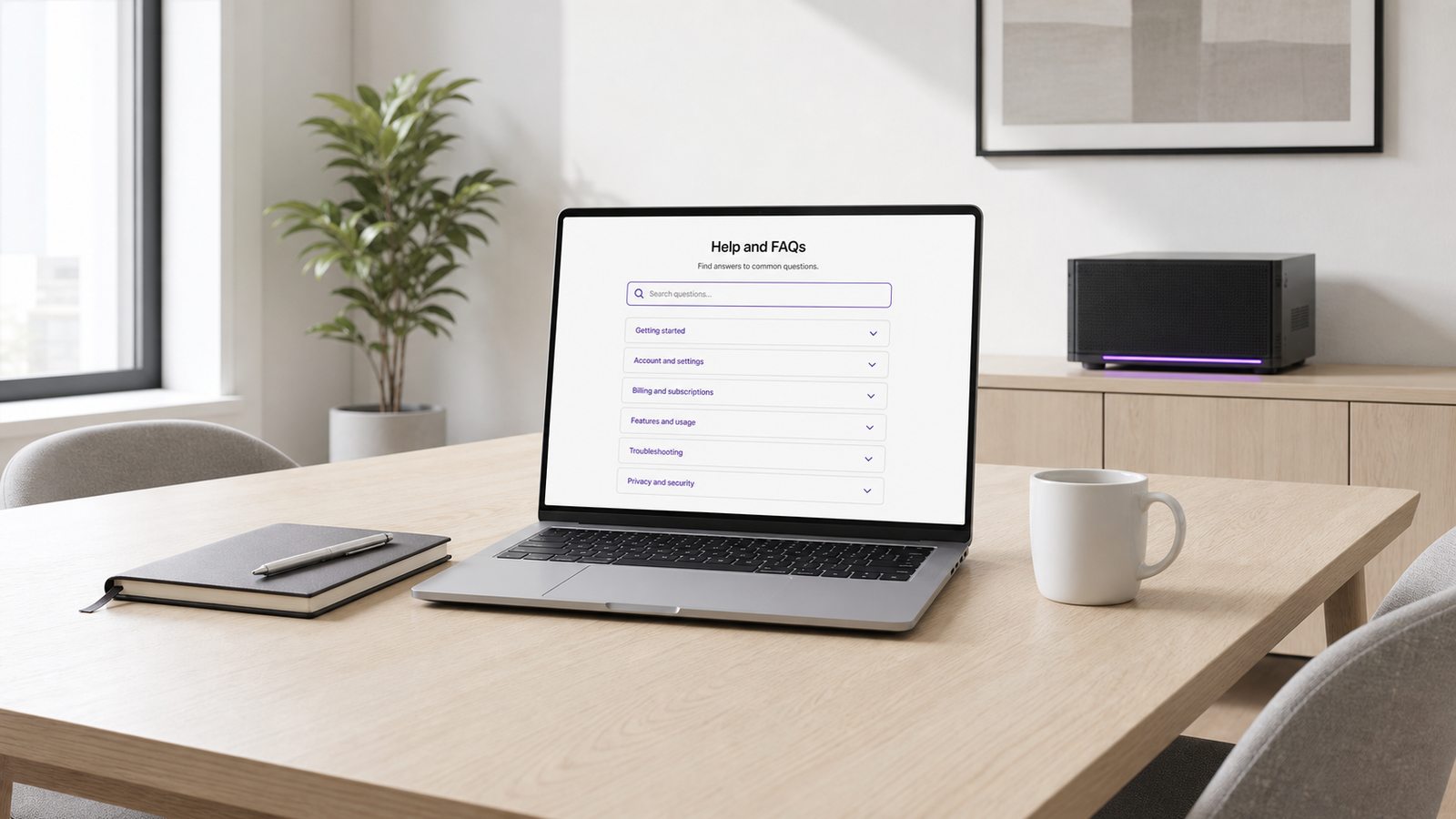
A laptop on a bright meeting table showing a help and FAQ page with collapsed question rows, and a local AI server on the credenza behind
What exactly is AISERVA? expand_more

AISERVA is a bridge portal. It connects your own local AI server, hardware you own and run at home or in your office, to a marketplace of AI apps hosted on aiserva.com. Your AI models run on your hardware; AISERVA is the layer that lets you reach them from anywhere and use them through purpose-built apps like InstaClaim and MarkCheck.

Do I need to set anything up with VYROX to use this? expand_more

Yes. You need a local AI server to run AISERVA against, either a local AI server supplied by VYROX, ready to plug in and connect, or your own existing hardware set up and customised by VYROX to work with the platform. Talk to Patrick to scope which path fits your setup.

How does my local AI server connect to aiserva.com? expand_more

Power on your server and plug in a network cable. A lightweight agent on the server dials out to aiserva.com over an encrypted, outbound-only tunnel, there is no port-forwarding, no static IP and no router configuration to do. When the server is on and connected to the internet, it shows as online in your AISERVA dashboard automatically.

Why is usage unlimited, when ChatGPT, Claude and Gemini have message limits? expand_more

Cloud AI providers meter usage because every request runs on their own servers. With AISERVA, inference runs entirely on your local AI server hardware, so there is no per-token metering and no message rate limit imposed by AISERVA itself, how much you use it is a question of your hardware's capacity, not a usage cap on the software.

Does my data leave my network? expand_more

No. Every AI app in the marketplace sends its request to your local AI server, and inference happens there. aiserva.com relays the connection between your device and your server, it is not where your documents, receipts, exam scripts or conversations are processed or stored.

What if my local AI server is turned off? expand_more

AISERVA apps simply show your server as offline and wait, nothing runs, nothing queues to the cloud, and nothing falls back to a third-party AI provider without your explicit choice. Turn the server back on and it reconnects automatically.

What hardware do I need to run a local AI server? expand_more

Any machine capable of running a local AI model, a dedicated small-form-factor AI server, a workstation with a capable GPU, or a home server rig. AISERVA is designed to work with a range of local AI server setups rather than one specific product; compatibility is confirmed during onboarding.

How do I get started with AISERVA? expand_more

Talk to Patrick to scope your setup, whether that's a local AI server supplied by VYROX or customising hardware you already have. Once your server is connected, every app in the marketplace is available from your dashboard.

Can I use more than one AI app at a time? expand_more

Yes. InstaClaim, MarkCheck and every other app in the marketplace share the same connection to your local AI server, so you can run several apps side by side without any of them competing for a separate quota.

Is this the same as SMARTSERVA's AI Exam Marking? expand_more

No. MarkCheck on AISERVA is a lightweight completeness checker, it confirms every question on a script has been marked, nothing more. SMARTSERVA's AI Exam Marking is a deeper, campus-operations-integrated module that proposes marks and comments per question. The two are separate products for separate audiences.

How much does AISERVA cost to run day to day? expand_more

There is no per-message or per-token bill once your local AI server is running, that is the whole point of the model. The cost that matters is the one-time or project cost of getting the hardware itself, either a server supplied by VYROX or your own hardware customised for the platform. Talk to Patrick for a quote scoped to your setup.

Is AISERVA harder to use than ChatGPT or Claude? expand_more

No. Once your server is connected, every app opens from a normal web dashboard, you sign in, pick an app, and use it, the same as any cloud AI tool. The only extra step, versus a cloud subscription, is the one-time setup of your own local AI server.

What happens to my existing subscriptions to ChatGPT, Claude or Gemini? expand_more

Nothing, keep them if they still serve you well for general chat. AISERVA is not exclusive, many people run it alongside a cloud subscription and simply route the workloads that involve sensitive data, or that they use heavily, through their own local AI server instead.

Can multiple people in my company use the same local AI server? expand_more

Yes. A local AI server can serve multiple staff accounts from your AISERVA dashboard, each with their own login and their own view of the apps, all sharing the same underlying hardware. Capacity depends on your server's specification, this is scoped during onboarding.

How is this different from just running an open-source model myself? expand_more

You still could, and some people do, but you would need to build and maintain the tunnelling, the dashboard, the per-app interfaces and the update pipeline yourself. AISERVA is that entire layer already built: the secure connection, the marketplace of purpose-built apps, and ongoing support from VYROX, on top of hardware that is either supplied or customised for exactly this purpose.

Does AISERVA work if my internet connection drops? expand_more

Your local AI server keeps running locally, but the AISERVA dashboard and apps need the encrypted tunnel to reach it, so access from outside your network pauses until the connection is restored. If you are on the same local network as the server, some apps can still be reachable directly, this is configuration-dependent and confirmed during setup.

What happens if the power goes out, or the server is switched off? expand_more

The apps show your server as offline and wait. Nothing runs, nothing queues to the cloud, and nothing falls back to a third-party AI provider. When power returns and the machine boots, the agent dials out again on its own, there is nothing to reconnect by hand. If uninterrupted availability matters at your site, raise it during onboarding so it can be planned for.

What happens if the hardware itself fails? expand_more

It is a physical machine, so it is repaired or replaced like any other physical machine. Because AISERVA pairs to the server rather than living on it, a replacement unit is paired to your account and your apps carry on. Cover and turnaround are scoped with VYROX as part of your setup rather than assumed.

Who is AISERVA not a good fit for? expand_more

Three cases, honestly. If owning and housing a machine is a dealbreaker for you, a cloud subscription is simply a better fit. If you only use AI occasionally, unlimited use will not pay for itself and a monthly plan is cheaper. And if you need something running today, cloud plans win on setup effort, because there is a real scoping and setup step here before the first app opens.

How is AISERVA kept up to date? expand_more

The platform side is maintained for you. New apps appear in your dashboard as they ship, on the same connection you already have, and your server picks up platform updates without you scheduling anything or logging into the machine. The hardware stays yours throughout, physically in your building.

Do I have to stop using my existing software? expand_more

No. AISERVA is not exclusive and does not replace the tools you already run. Your accounting, email and document software stay exactly where they are, and the apps work from files you already have rather than requiring a migration project. Most people keep what works and simply move the sensitive or heavy workloads onto their own server.

What does it actually cost to get started? expand_more

The cost that matters is the one-time or project cost of the hardware itself, either a server supplied by VYROX or your own machine customised for the platform. After that there is no per-seat or per-message charge from AISERVA, and using it more does not cost more. There is deliberately no price list here, because a quote that is not scoped to your setup is not a real number, talk to Patrick for one that is.

What does the setup process involve, step by step? expand_more

A scoping conversation about which apps matter and how many people will use them, with nothing ordered at that stage. Then hardware is either supplied and sized by VYROX or your existing machine is confirmed compatible. The AI software and the AISERVA agent are installed and the machine is paired to your account, it goes on your network with power and a cable, staff accounts are created, and you put a real job through an app the same day.

Is a local AI server hard to look after once it is running? expand_more

For the person using it, there is nothing to look after. It behaves like any other always-on machine on your network: it sits there, it stays on, and the apps work. The platform side is maintained by VYROX, so there is no update queue landing on your desk. The only genuinely local jobs are physical ones, keeping it powered, keeping it ventilated and letting someone know if a light goes out.

What does it add to the electricity bill? expand_more

It draws power whenever it is on, and it draws more while it is actually working than while it is idle. The honest answer is that the figure depends entirely on the machine you end up with and on your local tariff, so there is no number worth printing here. It is a running cost you should ask about, and it is quoted against the actual hardware during scoping rather than guessed.

What happens if the person who set it up leaves the company? expand_more

Nothing breaks. The server is paired to your company account, not to an individual, and staff accounts are added and removed from your dashboard by whoever administers it. There is no personal login holding the system together, and no machine-level knowledge that leaves with one person, because the platform side is maintained by VYROX rather than by an internal expert.

What happens when the hardware gets old? expand_more

It ages like any other computer. As models change, older hardware tends to run newer work more slowly rather than stopping outright, so the usual path is a planned replacement or upgrade when it stops keeping up, not a sudden failure. Because AISERVA pairs to the server rather than living on it, moving to a newer machine means pairing the new one and carrying on.

Is AI running locally really as capable as the big cloud services? expand_more

Be realistic about this. The very largest cloud models are trained and served at a scale no single office machine matches, and for open-ended general reasoning they are strong. What local hardware does very well is the bounded, repeatable work the marketplace apps are built around: reading documents, extracting fields, checking completeness, summarising, drafting. Those are the jobs AISERVA is aimed at, and they are also the jobs where sending your data away is hardest to justify.

Do I need to back anything up? expand_more

Treat it like any other machine in your business: the files you feed the apps still live wherever you keep your files, and your existing backup routine should cover them. Whether anything on the server itself needs backing up depends on how you use it, so it is a question worth putting on the table during onboarding rather than discovering later.

Where should the server physically live? expand_more

Somewhere with power, a network point, airflow and a door. A comms cabinet, a utility room, a store room or a quiet corner of an office all work. Two things matter more than the room itself: it should not be somewhere the fan noise will annoy anyone sitting near it all day, and it should not be somewhere a visitor could walk off with it.

Can I control who in my team can use which app? expand_more

Yes. Staff have their own logins rather than sharing one, and what each person can reach is set from your dashboard. Combined with the connection audit log, that means you can answer both questions that matter for governance: who has access, and what was actually used and when.

How should I roll this out to a team? expand_more

Start with one app and one repeating job that annoys someone every week, and run it alongside how you do it now until people trust the output. Once that job is genuinely faster, add the next app rather than launching everything at once. Teams that pick a single painful task first adopt it; teams that announce a platform usually do not.

Power it on. Plug it in.
Start using AI without limits.

No token meter and no cloud dependency. Just a local AI server from VYROX, or your own hardware customised for it, bridged to a growing suite of purpose-built apps.

A compact violet local AI server powered on alone in a bright minimal room, its perforated front panel glowing